This project is the final consolidation of my Interaction Design thesis. Over the course of 2 semesters I took on multiple roles and worked to better understand this problem space through multiple iterations utilizing UX research methods and design thinking skills.
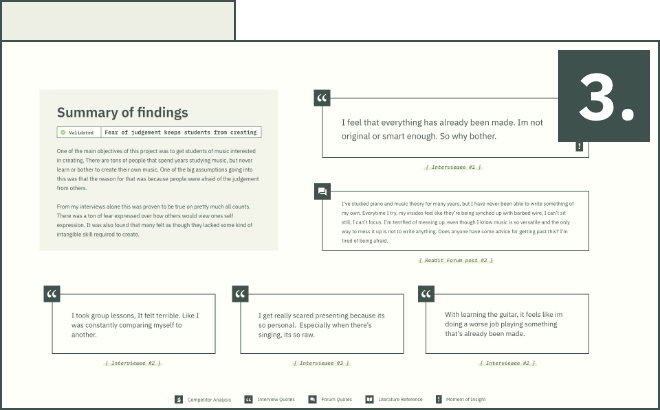
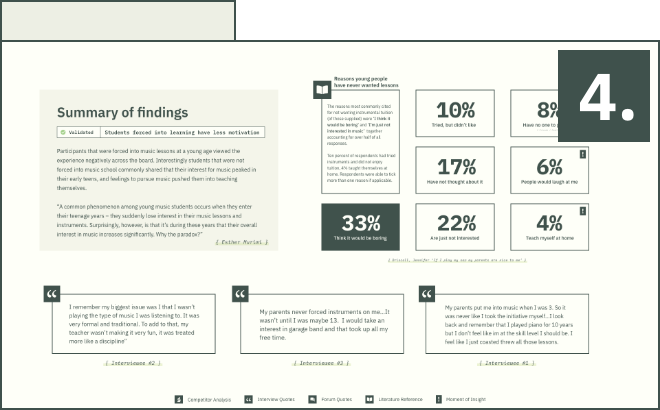
With so many distractions diverting todays youth, learning a new instrument can often feel like a discipline or chore. Through extensive research I discovered that todays youth suddenly lose interest in their music lessons and instruments at the beginning of their teen years - surprisingly, however, it’s during these years that their overall interest in music increases significantly.
Why the paradox ?

Practice Bud-E serves as a guide and mentor to help users discover their unique voice in music. By employing a creation first learning approach and prioritizing self expression in music over mundane theory lessons, Bud-E helps users navigate music by putting user interests first and uncovering a unique and ideal path for success.

Getting started with the project, I created a gantt chart and planned out 6 different stages of research that would take place over the course of 6 weeks. Gathering a foundation of research for the project was integral to the design process as it helped me to understand the problem space from a variety of different sources and perspectives.


I decided to narrow down my problem space into assumptions about why students struggle with learning and creating music. These assumptions are listed as followed:
By breaking each of them down, I was able to ask myself questions that could be potential points of discovery. I let these questions become my guide for my primary research questions. This moment in the process was important as these areas of focus would prove beneficial when conducting research interviews.
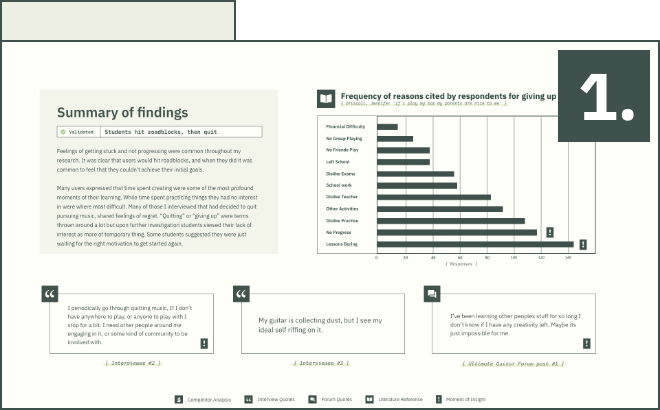
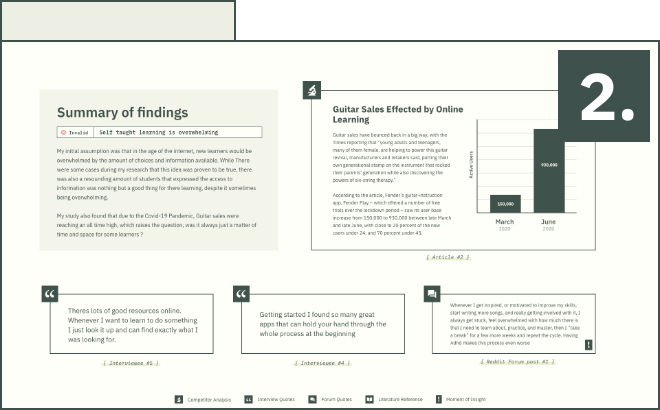
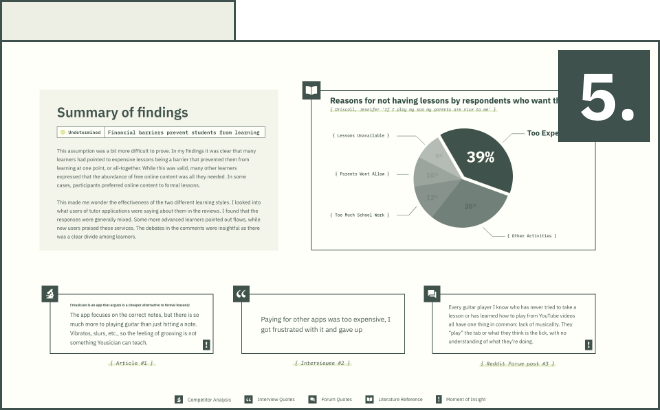
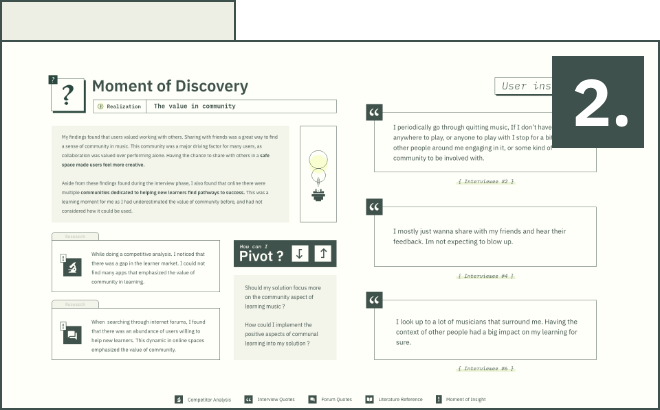
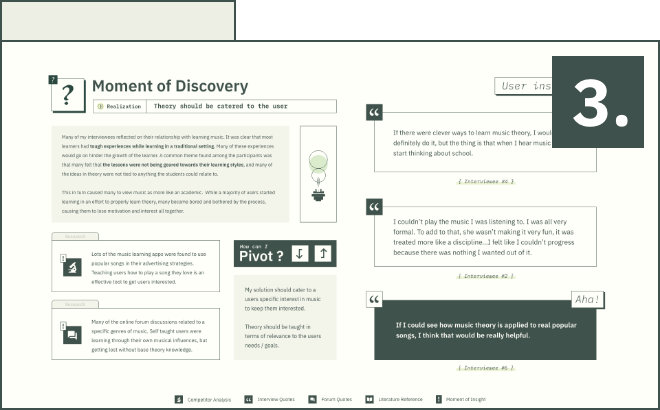
The following is a collection of data collected from User Interviews, Online Forms, literature, and competitive analysis. This section is fairly dense with information, but in an effort to be transparent about my process it is necessary to show as this research offers moments of insight and effected my final design solution.
If data bores you, please feel free to skip to the major takeaways section.
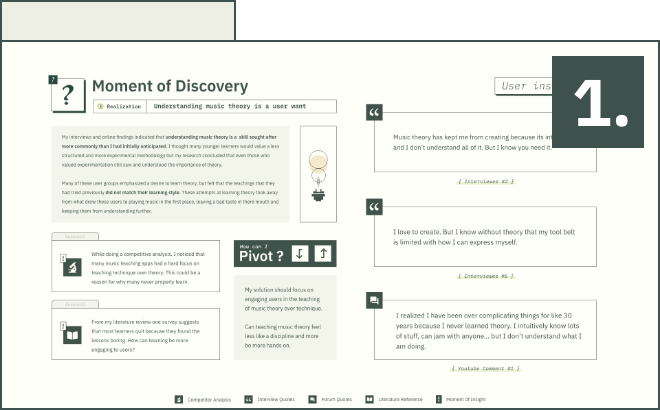
The following is a list of validated assumptions and new discoveries about my problem space that I had learned throughout this research phase.
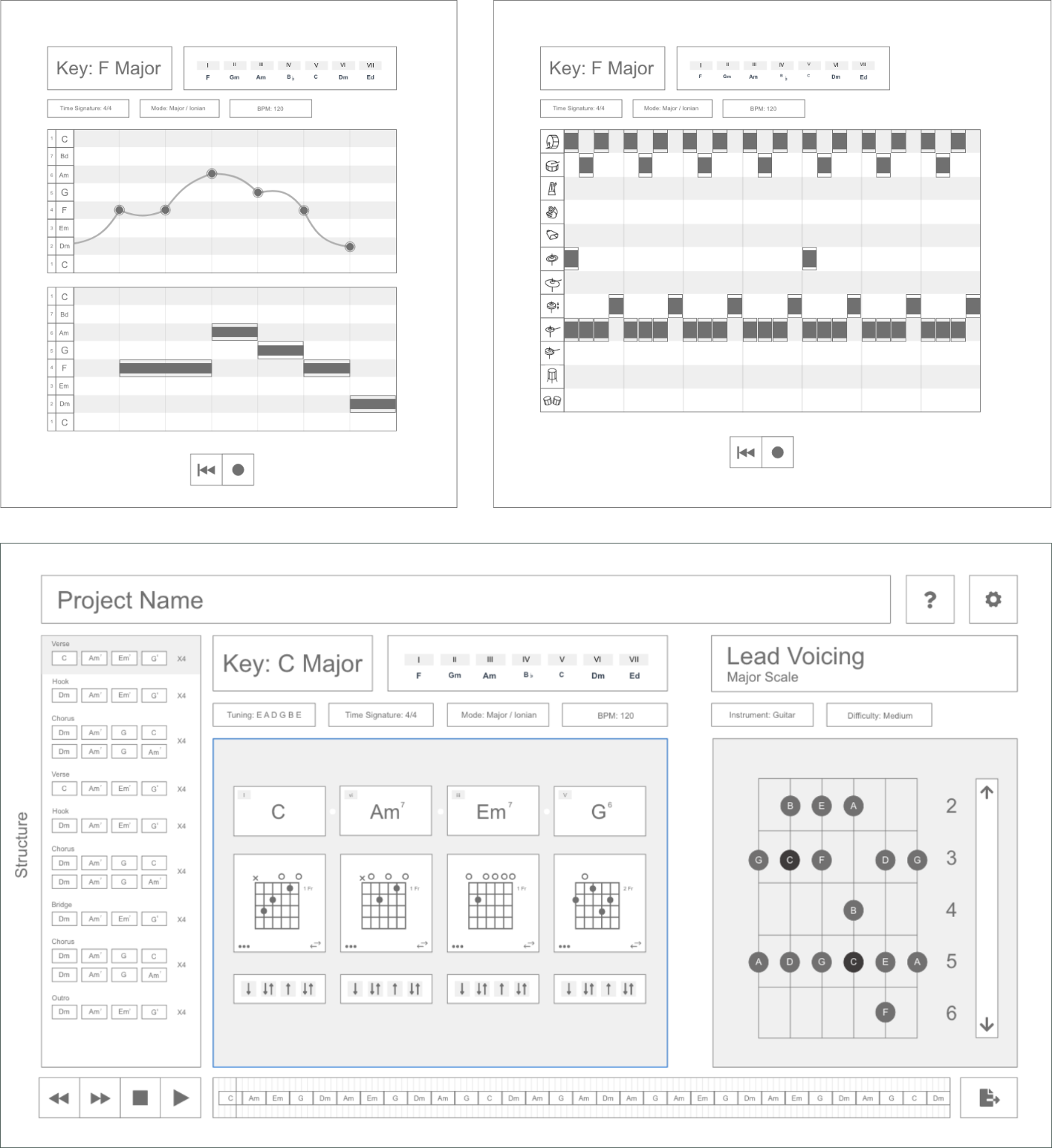
Based off of my research findings I began creating a list of feature ideas and low fidelity mockups. Initially it was my plan to flesh out these designs further and create a wizard of oz prototype for user testing.

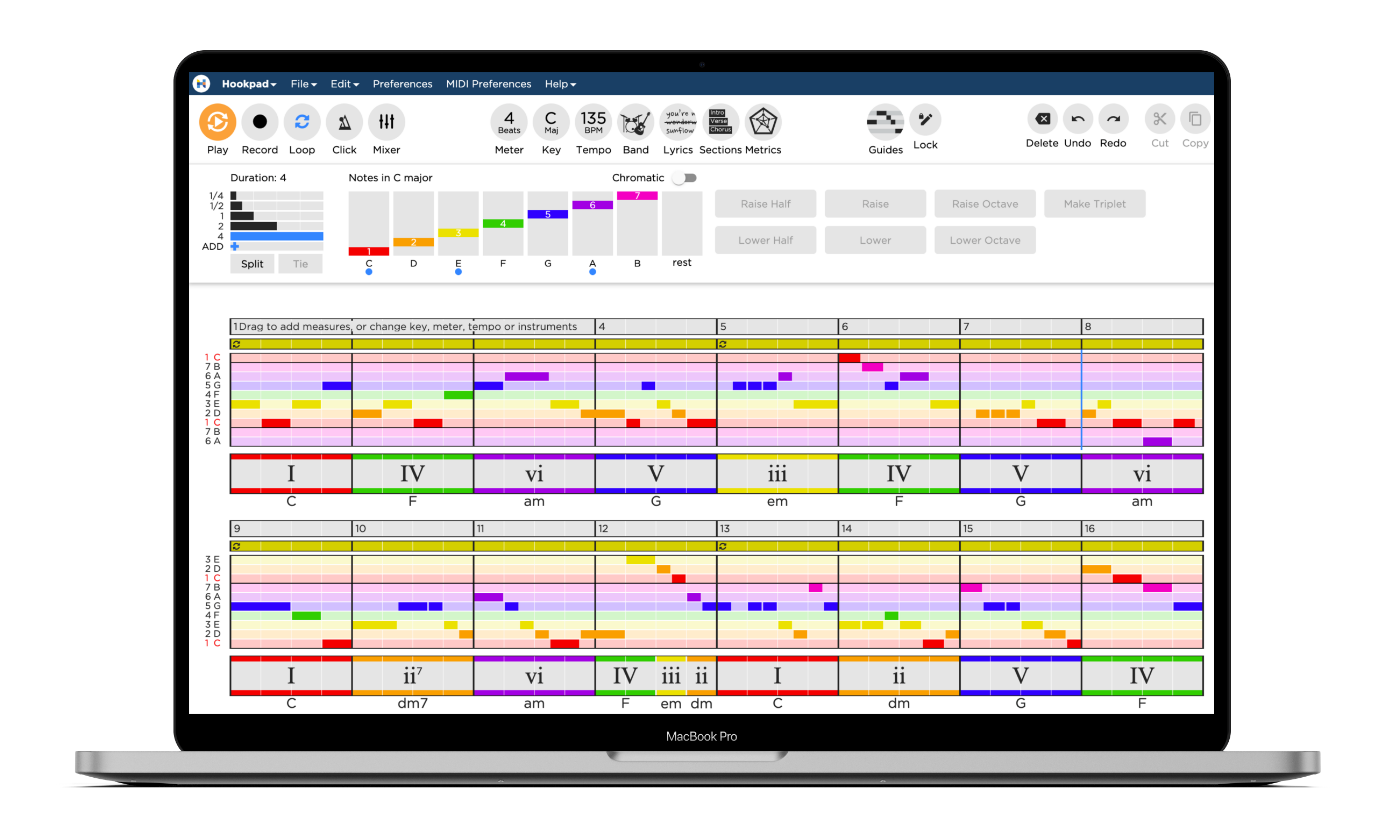
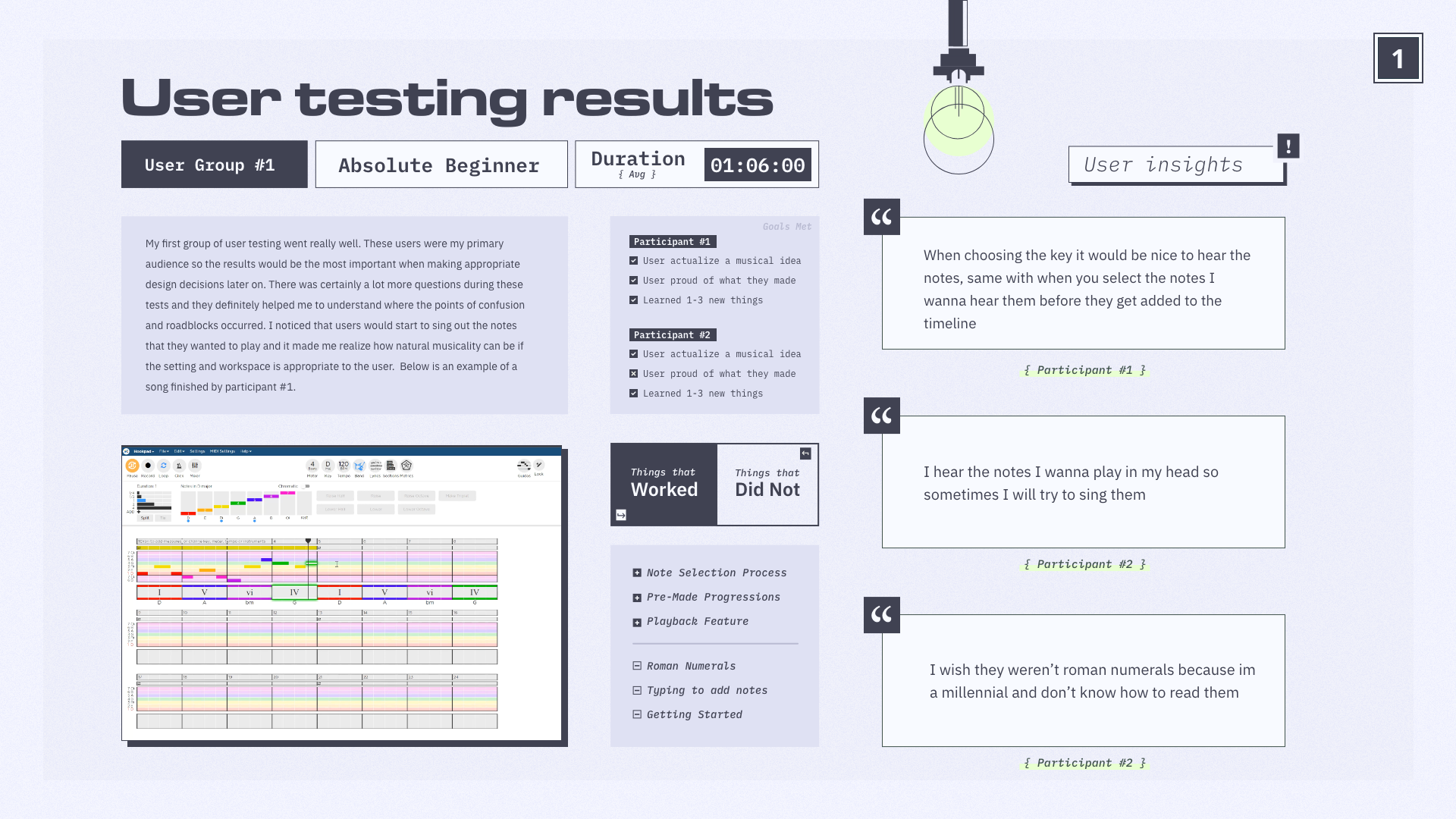
That plan changed after conducting a competitive analysis. I came across Hookpad, a web app that’s goals similarly aligned with my research goals and resembled some of my rough prototype sketches. Instead of making my own wizard of oz prototype, I decided to use Hookpad as a vehicle to test certain features that Hookpad did not have but my research was showing would be needed for my user base.

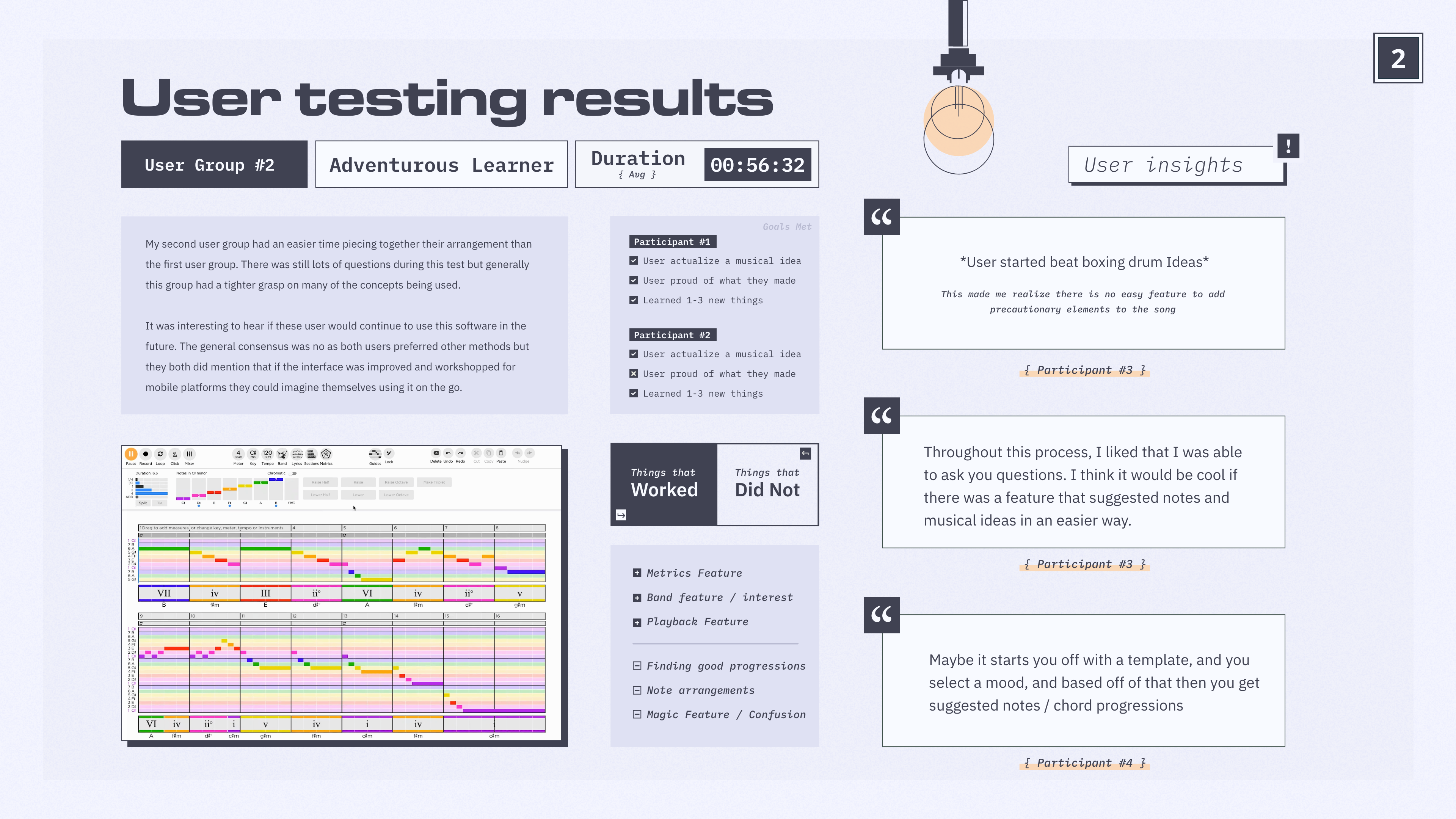
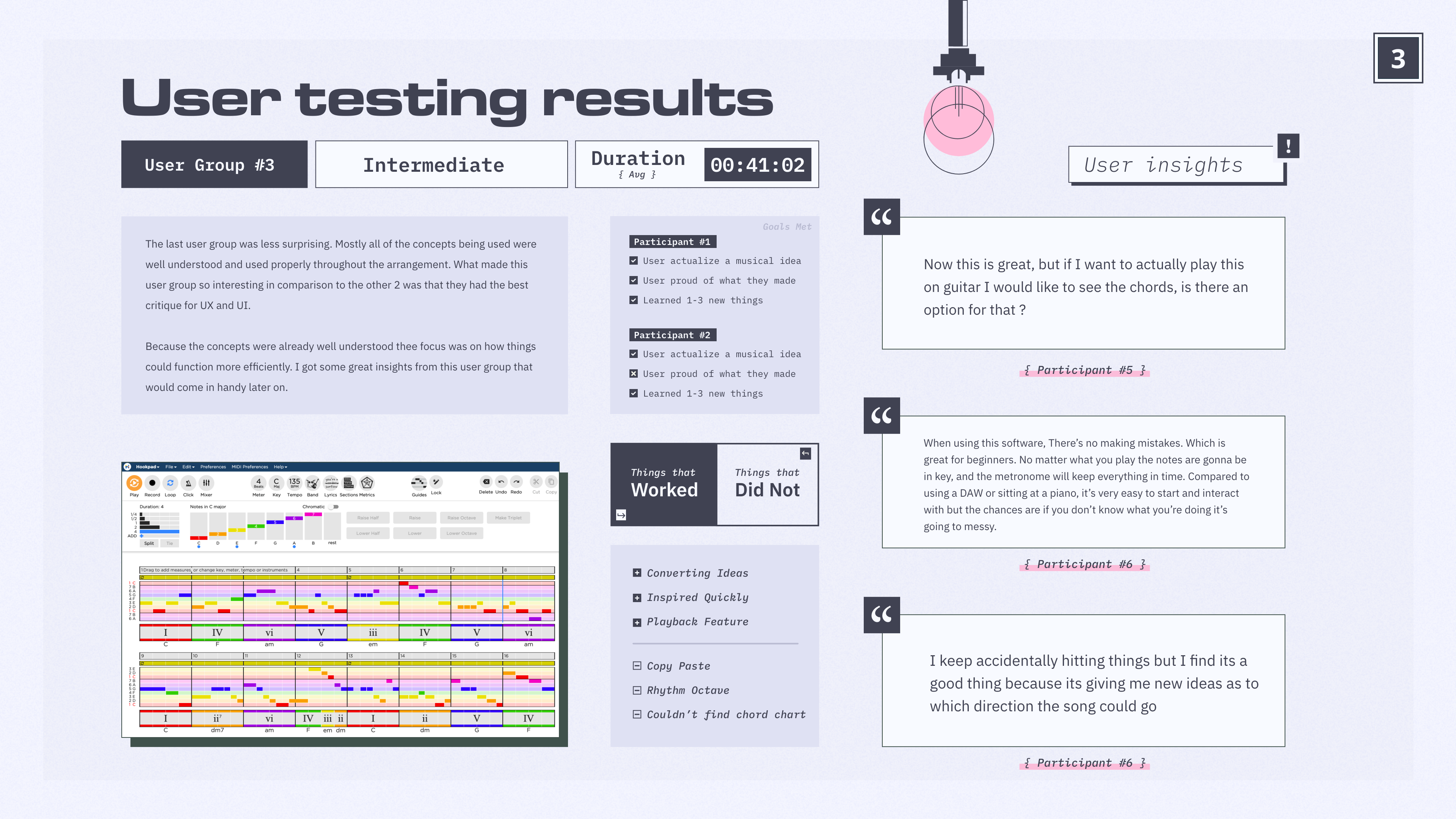
I created a short list of goals I wanted my users to reach by the end of testing and divided my user groups into 3 different sections. Although my target audience was focused on beginners, I wanted to gain the perspective of those who were currently in the middle of their learning. When choosing participants for my user testing I kept these groups in mind.
Some users surprised me with their knowledge and understanding of music theory so groups were assigned after testing was completed.
Someone who has almost no experience with music theory, song writing or playing an instrument
Has some experience with instruments and basic theory concepts. Lacking songwriting experience
Someone who has experience creating music and playing instruments, but wants to get better
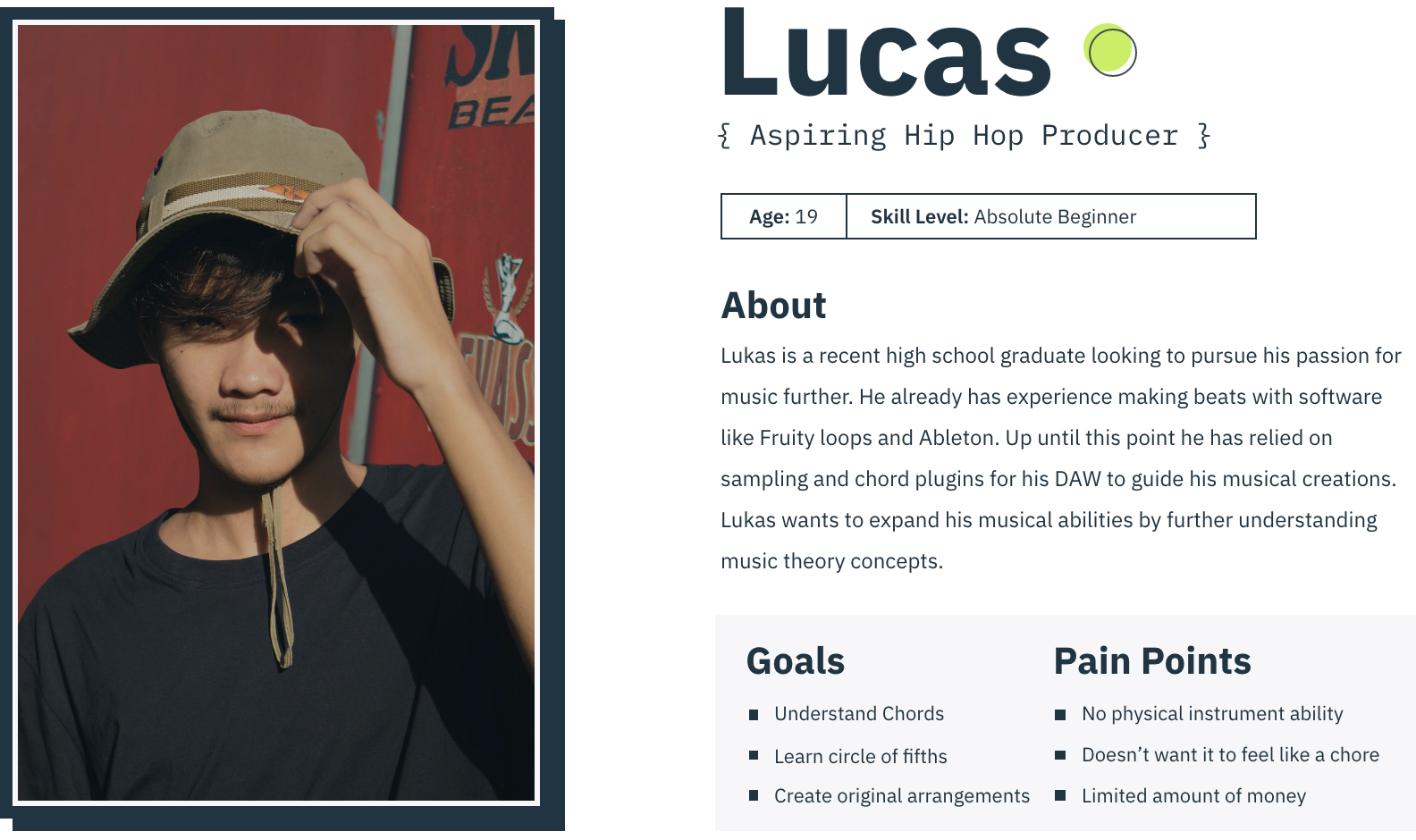
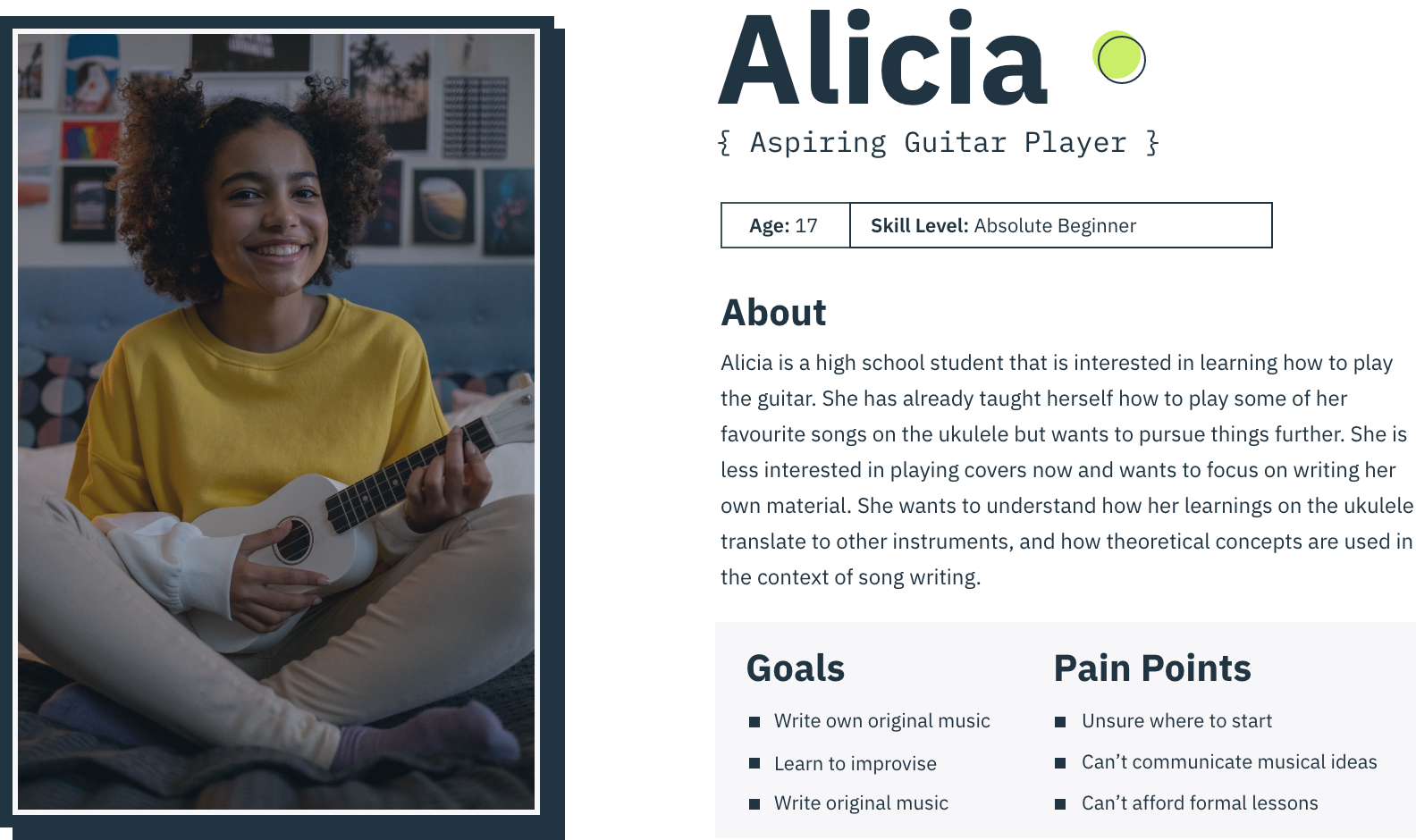
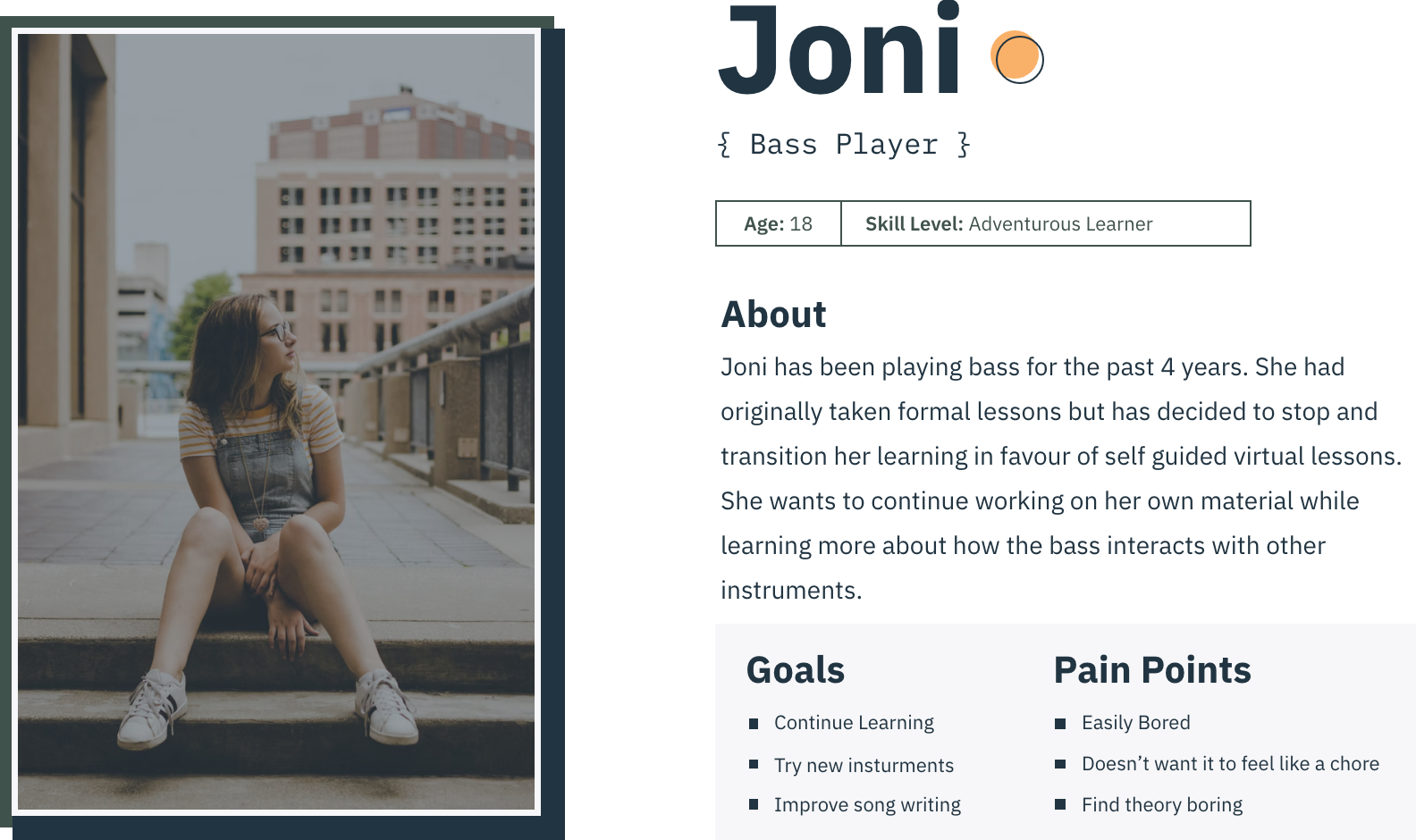
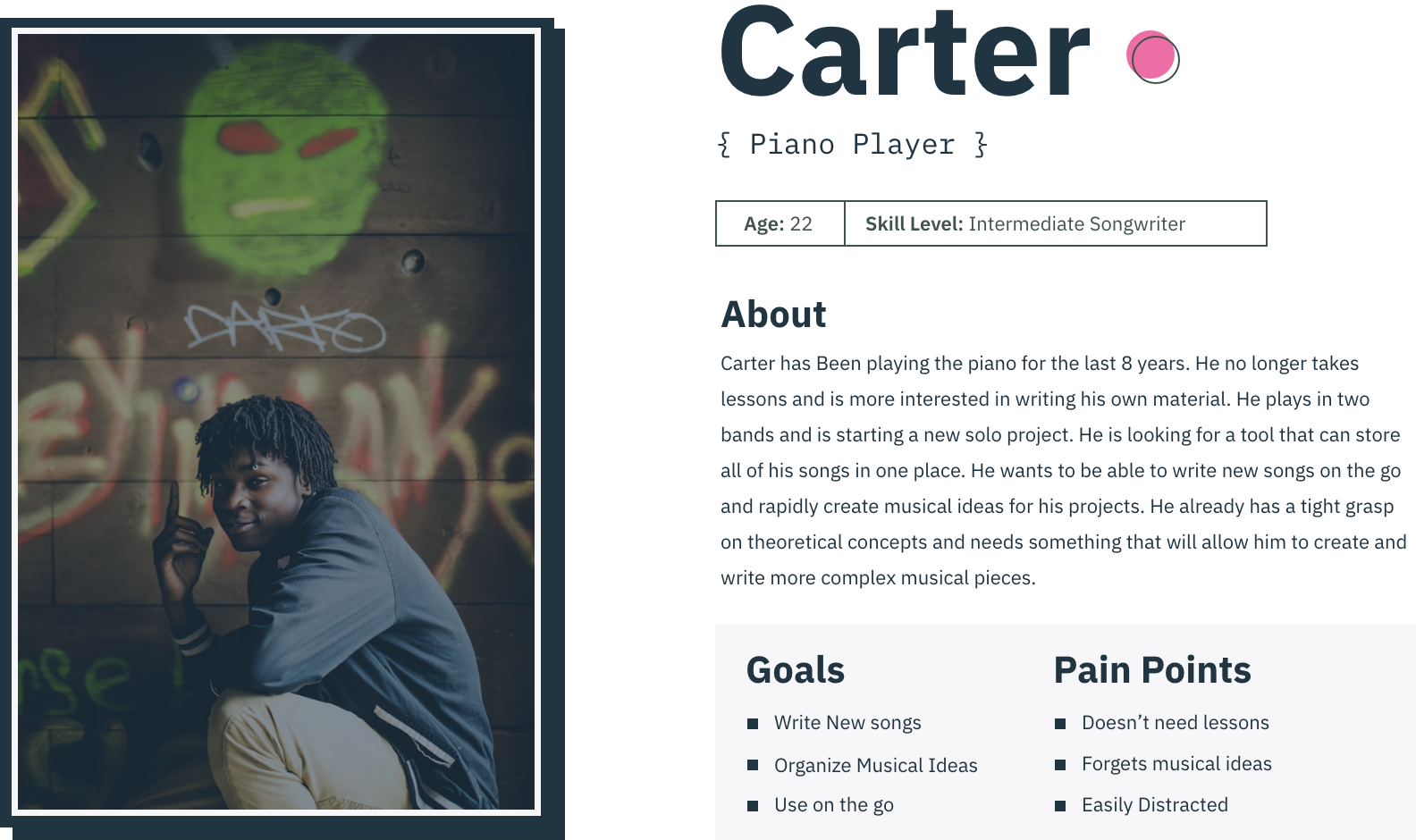
Based on these user groups and prototype goals, I created user personas that would be ideal user types for prototype testing.


User testing began after gathering a group of 6 different users based on personas created in the last phase. Observing users create arrangements and execute musical ideas provided an abundance of insights not just about the software, but how new users approach music as a whole.
After testing this product and looking back to my initial prototype it became clear that this type of tool is not the right fit for my target audience.
There are too many variables and points of distraction / confusion. With this information, I chose to not pursue a tool like this any further and headed back to the drawing board to organize insights gathered from research and user testing. The following lists the main takeaways.
Combining the learnings gathered from my research and user testing I organized user insights into groupings of similar nature. These groupings helped me to understand user needs, pain points and user values which I would could later use to justify and create core features for my design solution.
Using my list of user values and key features, I then created a list of parameters entitled “Product Goals”. This list of product goals became my bible when designing. Throughout the next design phase I would constantly refer back to this list to ensure that the design decisions I was making were backed by research and user input.

Product must be accessible away from phone or computer

Cater to the users musical interest, genre, style, etc.

Generate measurable goals and track progress

Incentivize practice to encourage development and habit forming

Facilitate practice sessions based on user goals and interest
Before moving forward anymore I needed to address my first product goal “Must be accessible away from phone or computer”. This was one of the most challenging parameters that I placed on the project as it was an early assumption of mine that the end product would solely be used on the computer. I started a brainstorming session that helped me to determine how proceed.
After my brainstorming session, I eventually landed on the idea that the product could be a separate device from the phone and function as a screen, speaker, and microphone to facilitate and monitor practice sessions. Hesitant to create a device that just looked like a tablet or phone, I wanted to make a character that could appeal to a younger audience.
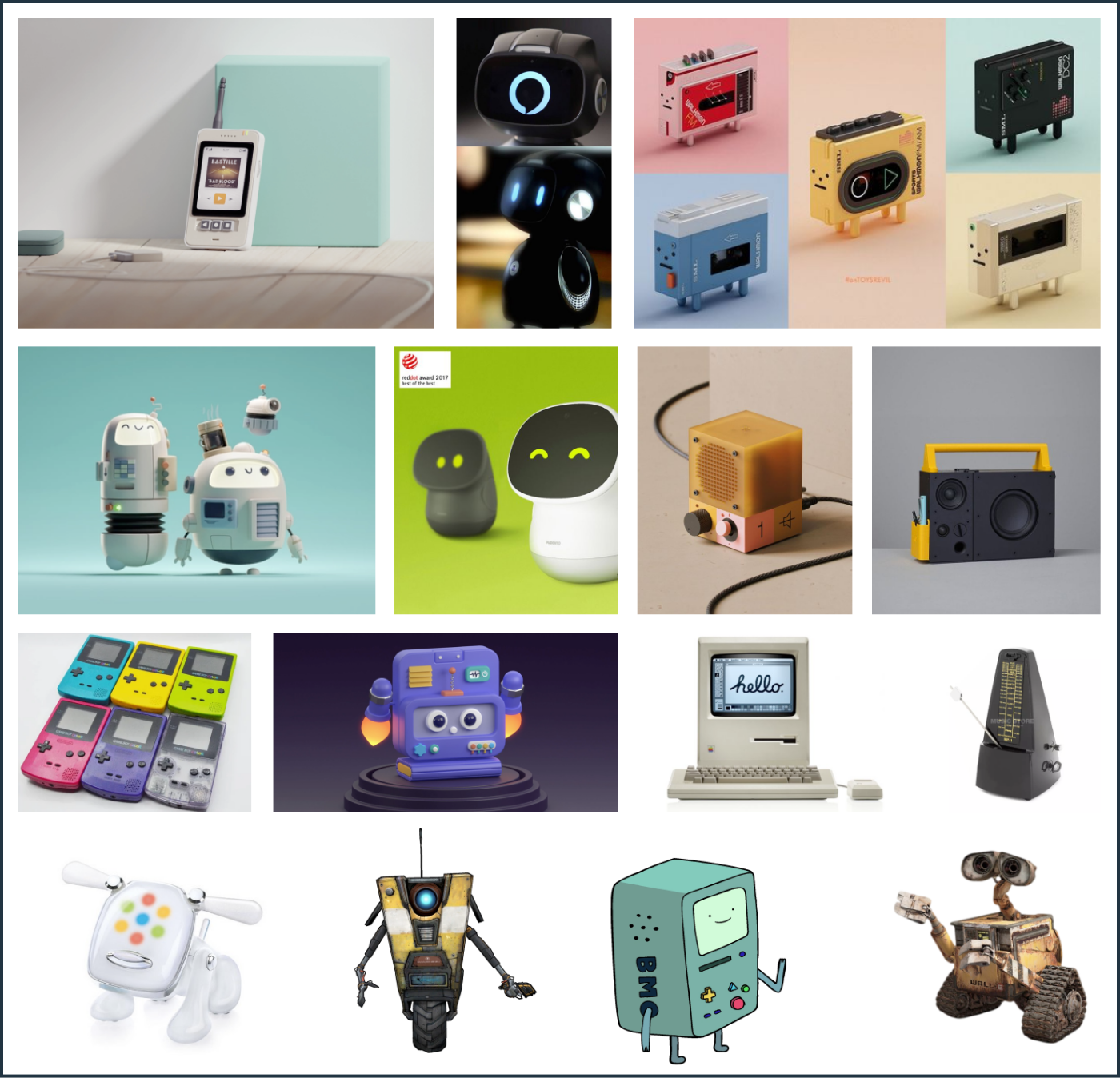
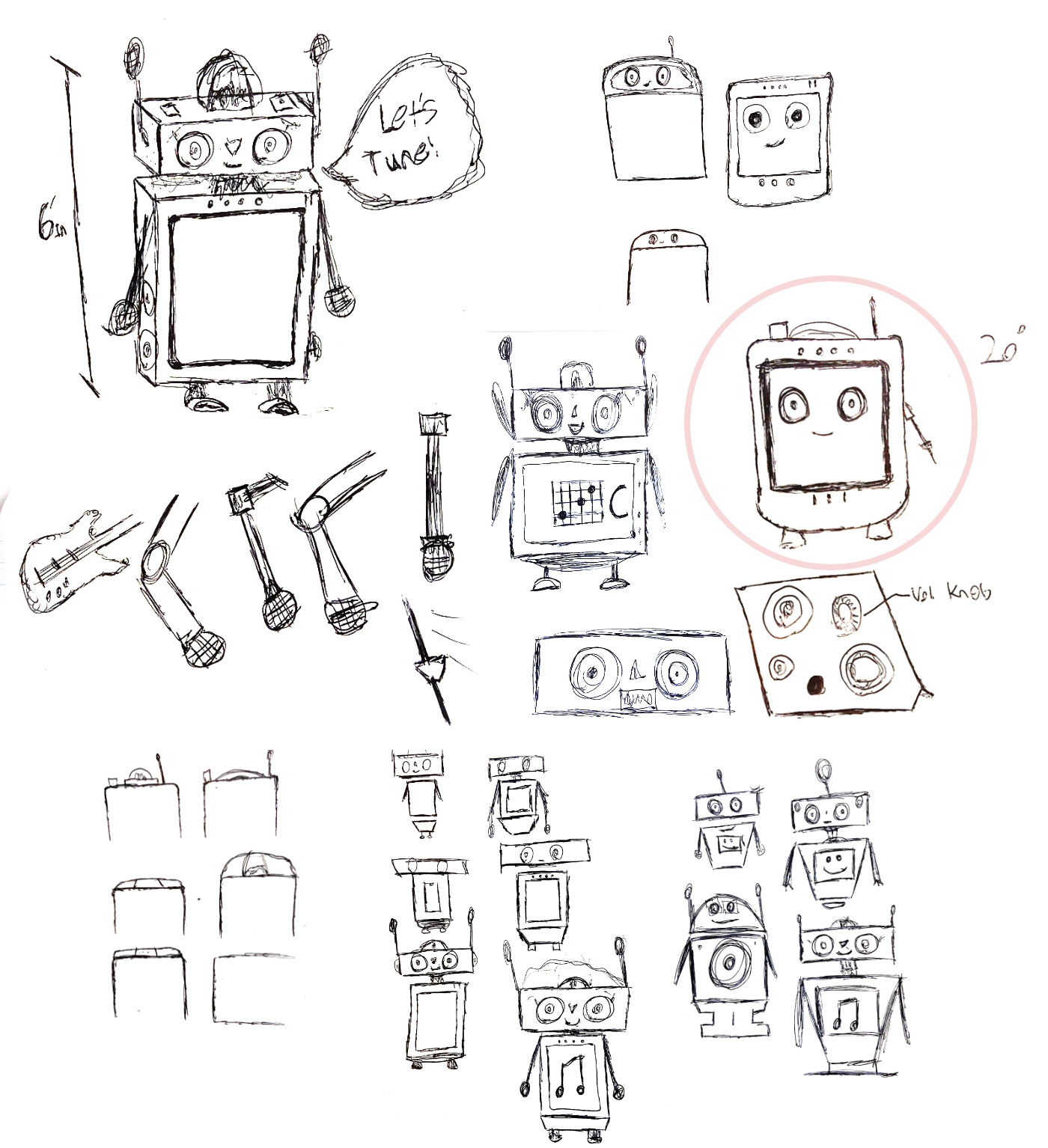
I created a mood board of characters / artwork / and older technology that inspired me. I wanted to create a friendly face, that had tactile components making it feel like a relic of the past. Once I had put this mood board together, I was really starting to get an idea of what I wanted it to look like, and started drawing out some ideas.

I wanted to get some rough ideas down before I moved into 3D modelling. I did some brief user testing among my peers to get an idea of what they thought about the sketches. The main feedback that I got was that I should focus on making it seem less like a toy, and more like a learning device. It was also emphasized that the face needs to look more friendly as it could look creepy sitting on a shelf or table.
I decided to reduce the number of tactile components, and really focused on making something that looked more like a learning device. I wanted the product to look as though it could easily sit on a shelf, table or desk without looking like a toy. I was inspired by the design of Google home and Amazon Alexa for this phase of the design as they both are products that I feel are able to achieve this sort of look.

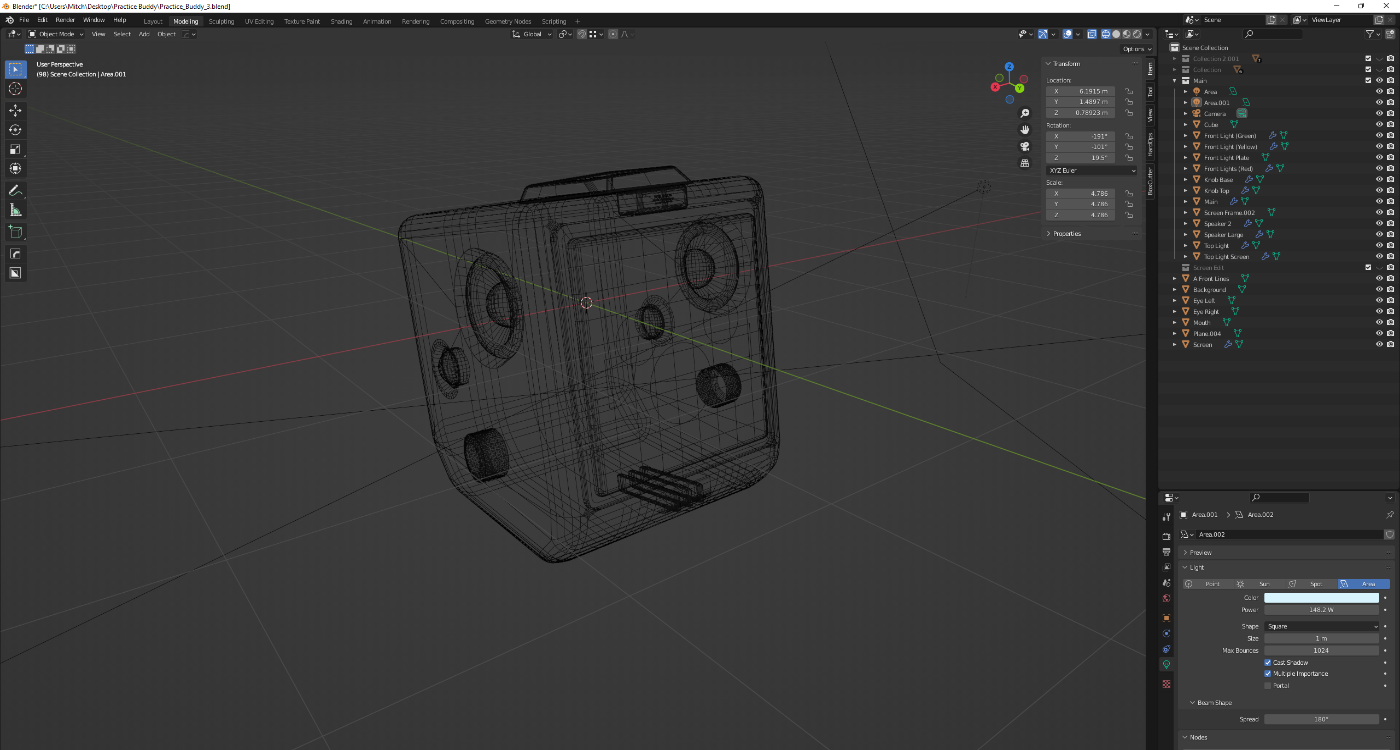
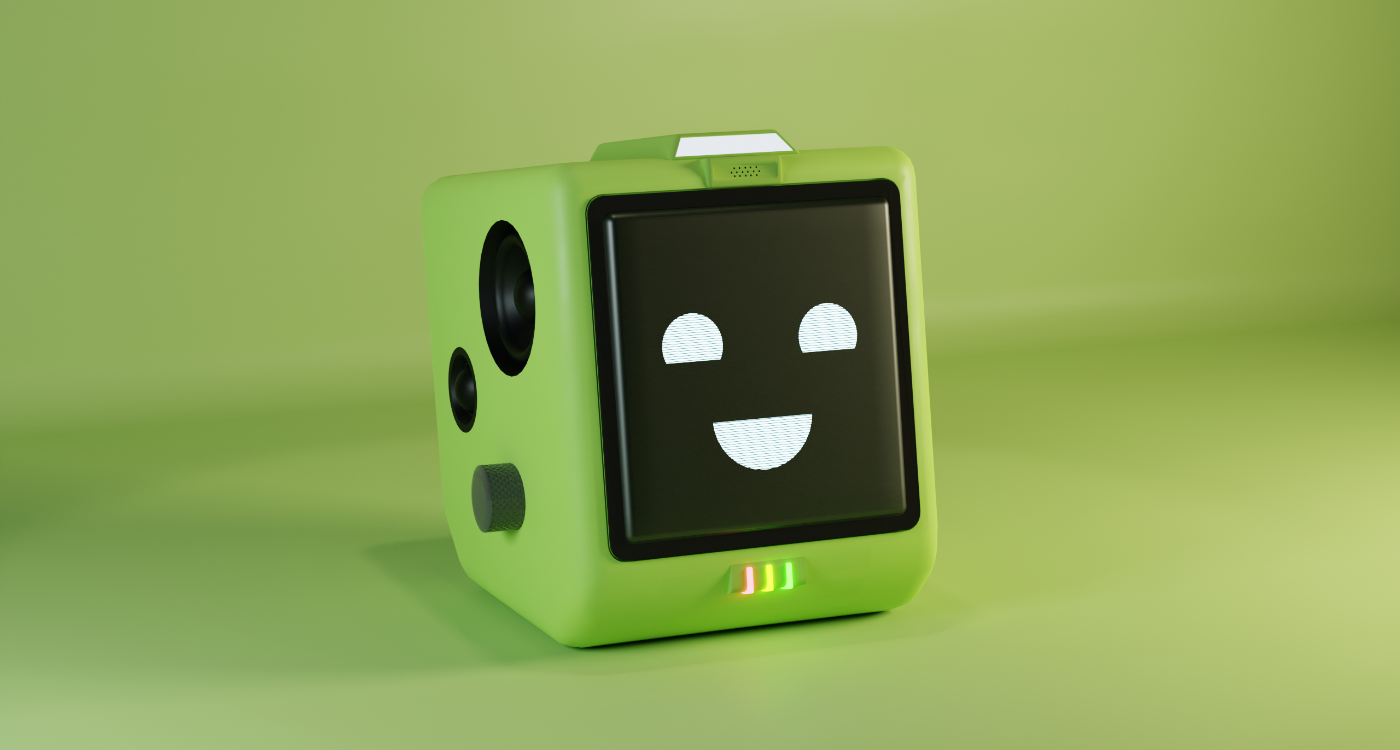
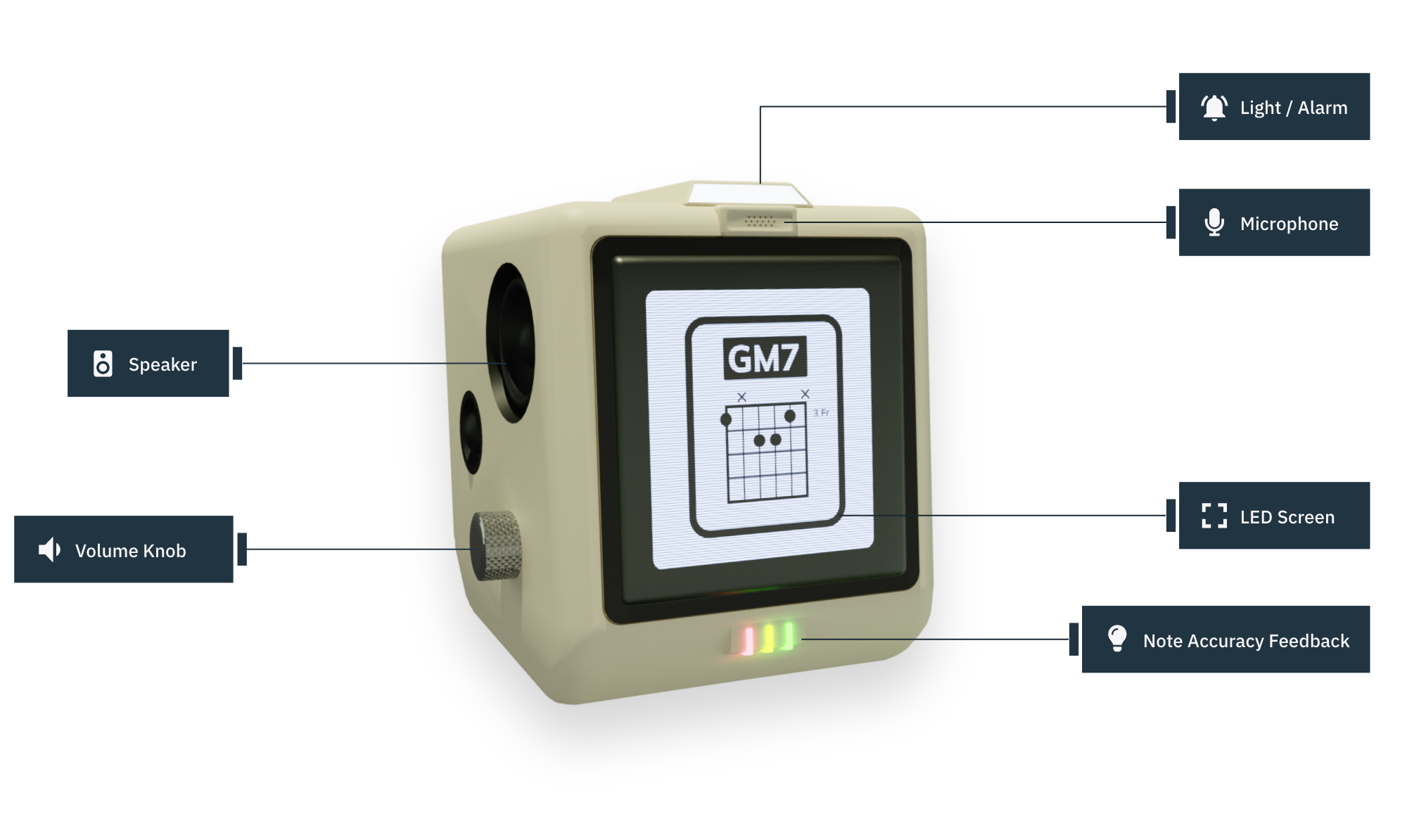
With the feedback I gathered, and my rough sketches I decided to move into 3D modelling. I spent a long time working out different iterations of the design before landing on what you see here. Some of the main components that I added to this design include.
1. Large speakers for audio feedback and collaboration
2. A microphone for picking up instrumental sounds and voice command
3. A light at the top that can communicate through the use of color
4. Lights at the bottom for tuning feedback
5. A tilted design that points the screen upward towards the user
6. Tactile volume knob
7. LED screen


Rather than designing a whole a new interface and control system for the product, I decided that I would make a companion app that would function as a controller and diary for users to monitor their progress. I opted for this because I didn’t want to overwhelm users with having to learn a whole new control system in order to use Practice Bud-E. By creating a mobile companion app, control and use would be more familiar to users.

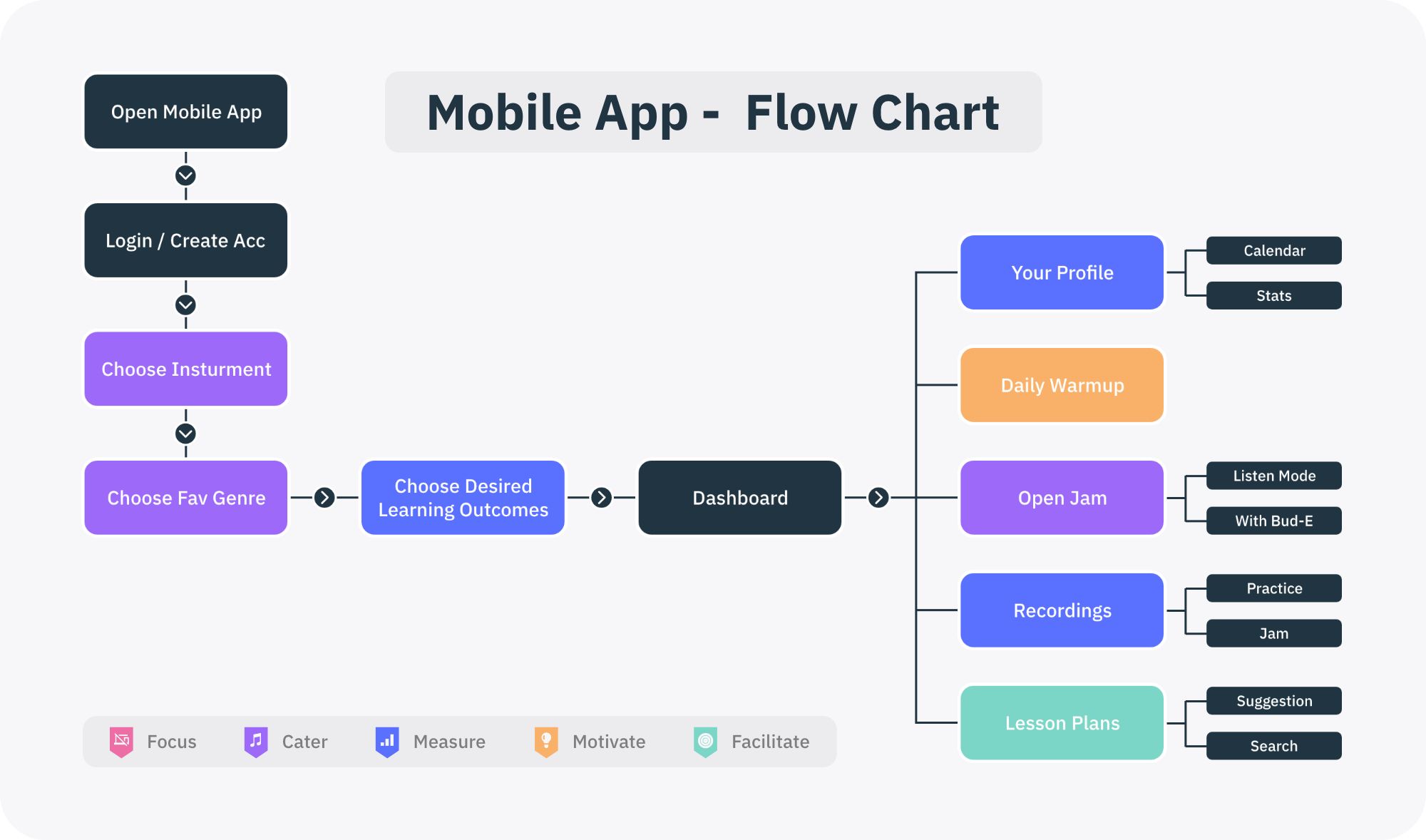
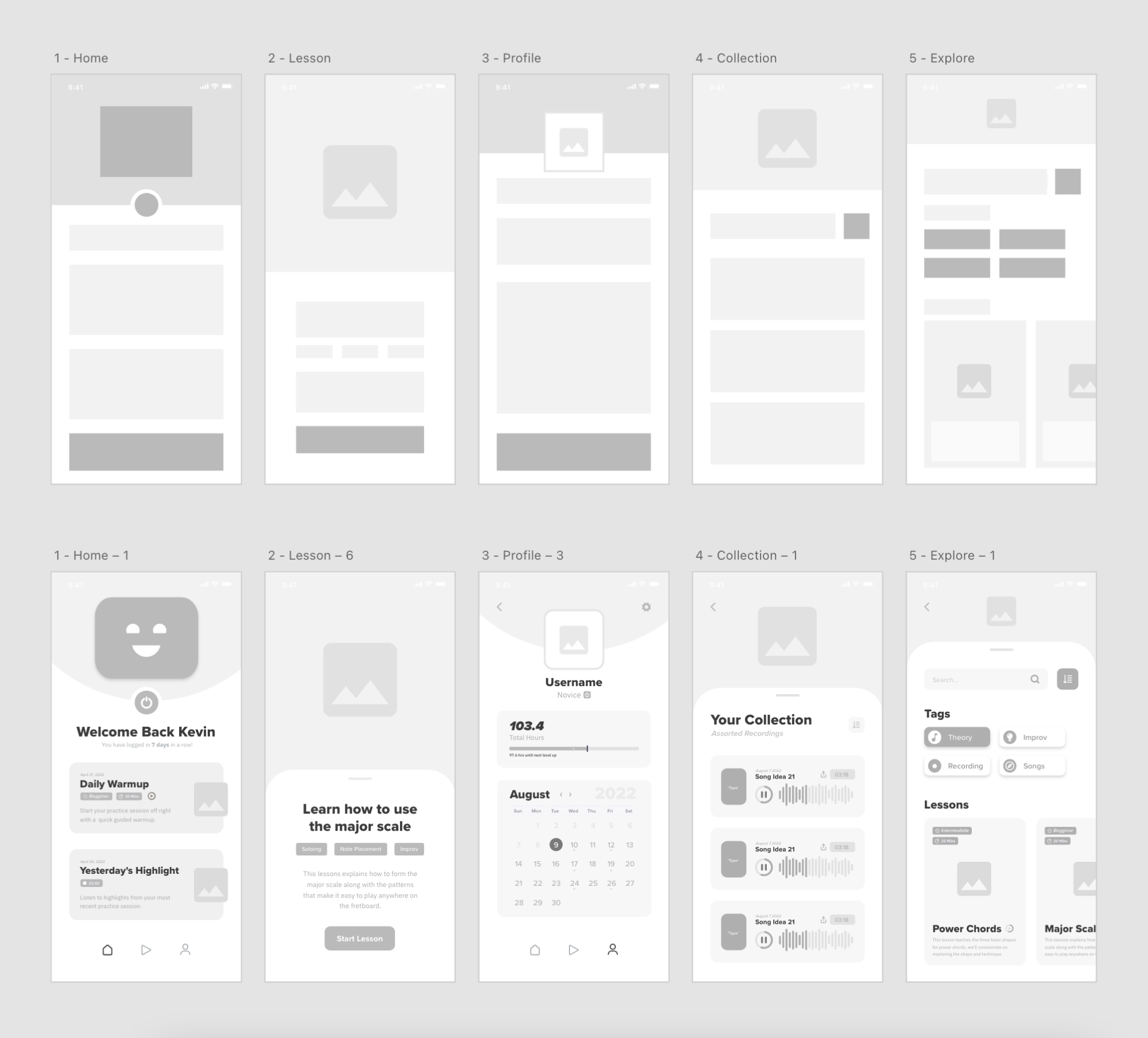
Using my list of core features and flowchart I started creating low fidelity mockups for the companion application.
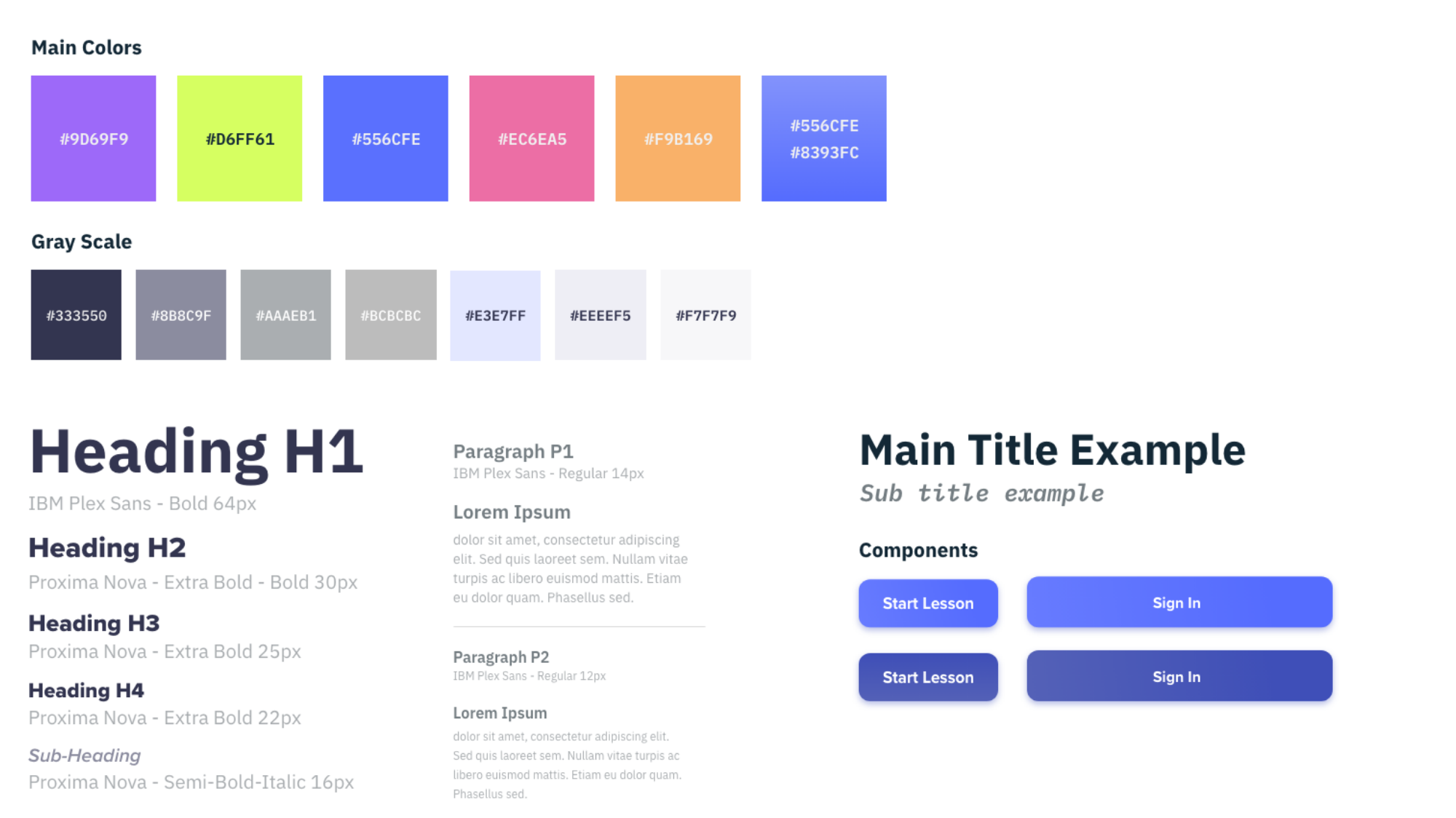
Before moving into high fidelity mockups, I started to experiment with colour and font. During this stage I also created a logo and selected colours for the product that would help to build a brand identity.


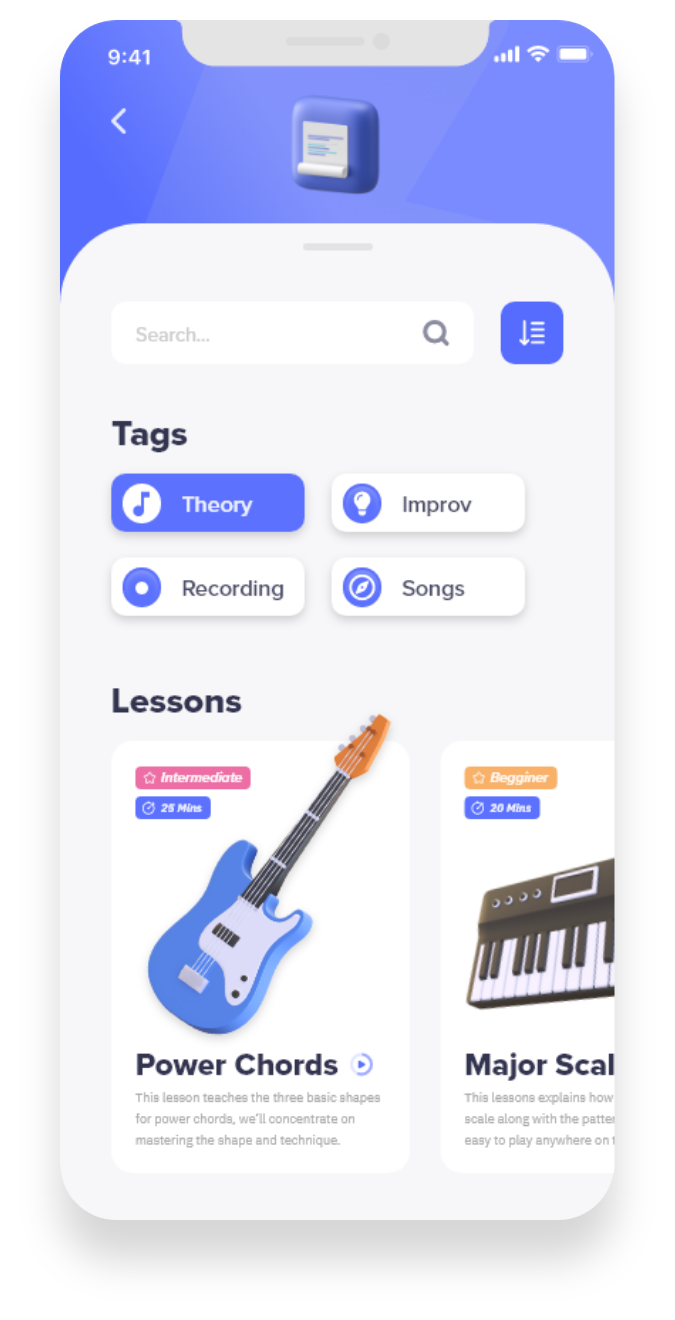
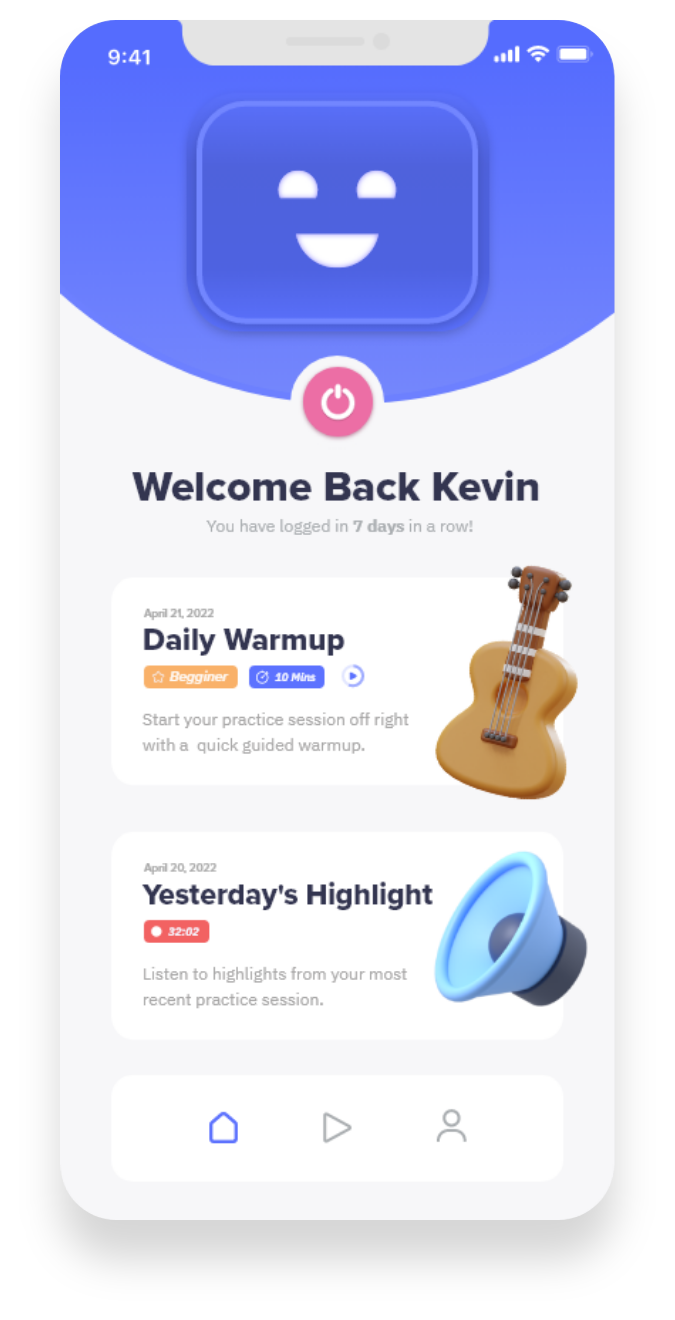
Compiling research, prototype iteration and design branding the project reaches a presentable stage to deliver a proof of concept. Demonstrated below are the final screens with explanations of how moments of insight, research and product goals were incorporated into the design of the project.

A quick and simple Practice Bud-E control system and dashboard

Facilitate a daily warmup to get users started when they are unsure of how to start

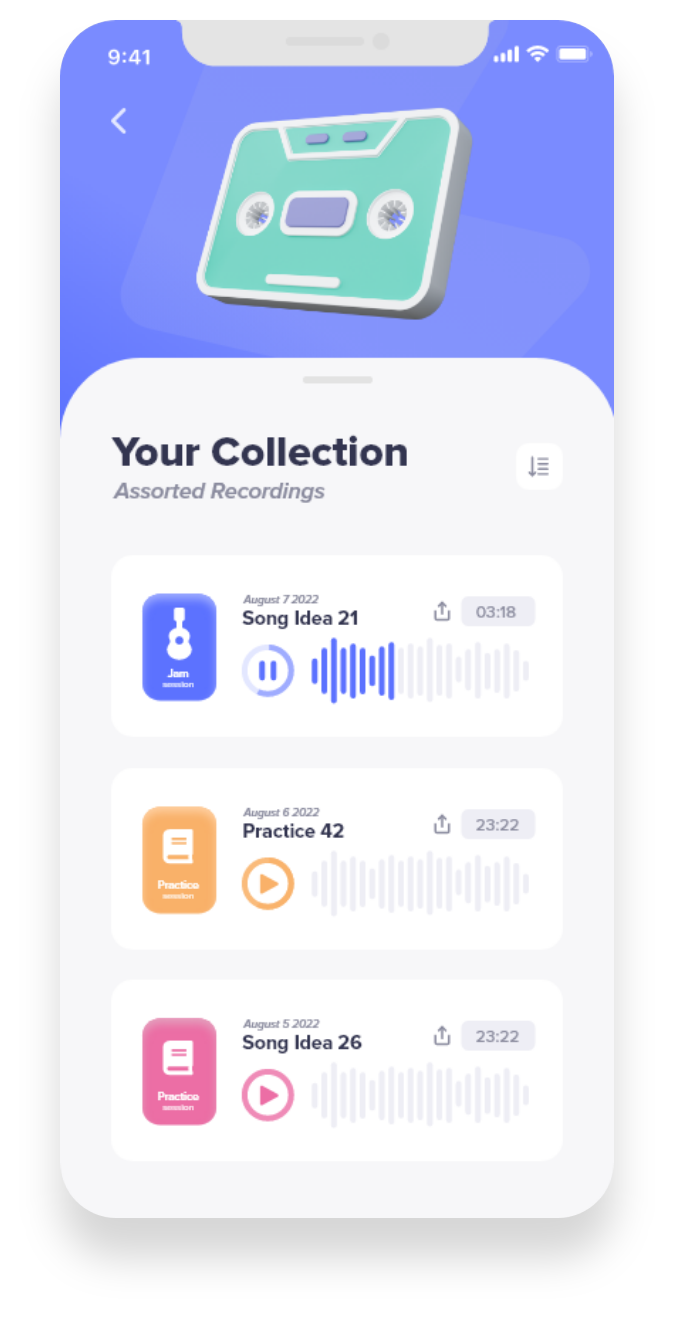
Let users review previous practice sessions to gain new perspective on development


A quick and simple Practice Bud-E control system and dashboard

Lessons catered to user interest and development are suggested to users in the search section


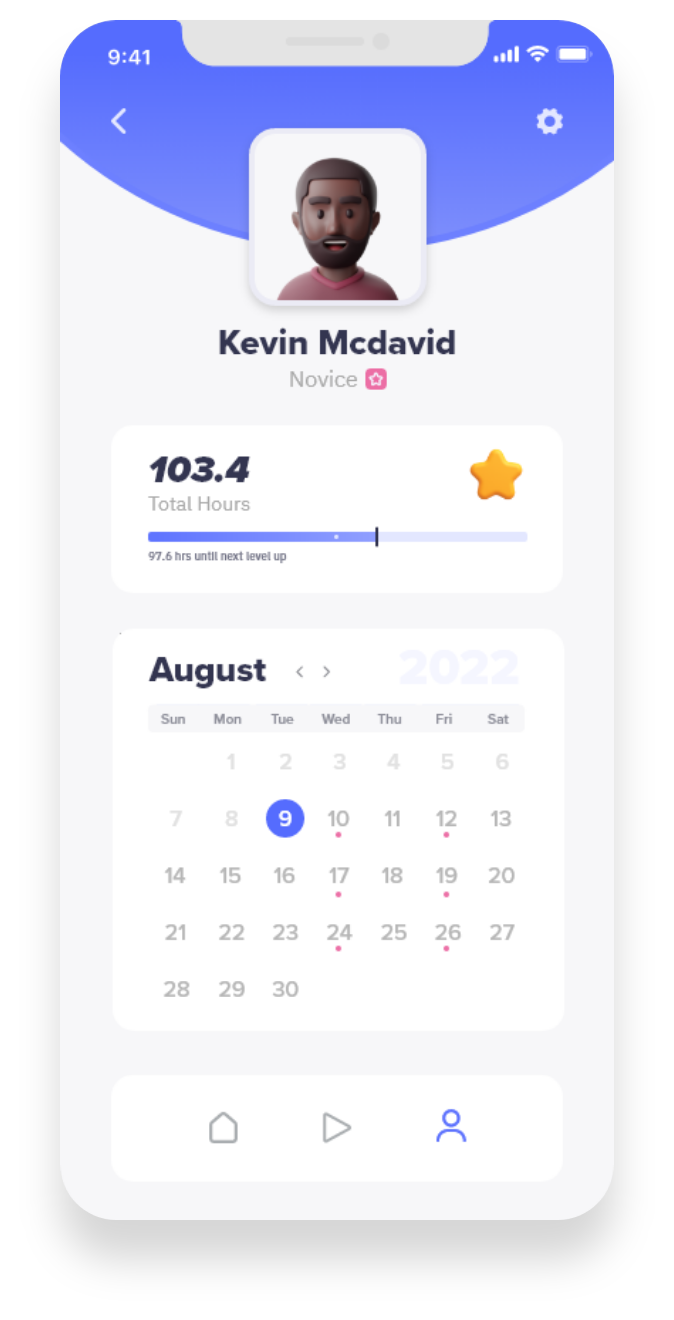
Gamify practice. Users can level up, earn achievements and track the total amount of hours practiced.

Users can schedule practice days, set reminders, and create measurable goals


Practice Bud-E Can record practice sessions, song ideas, jam sessions for users to reflect on later

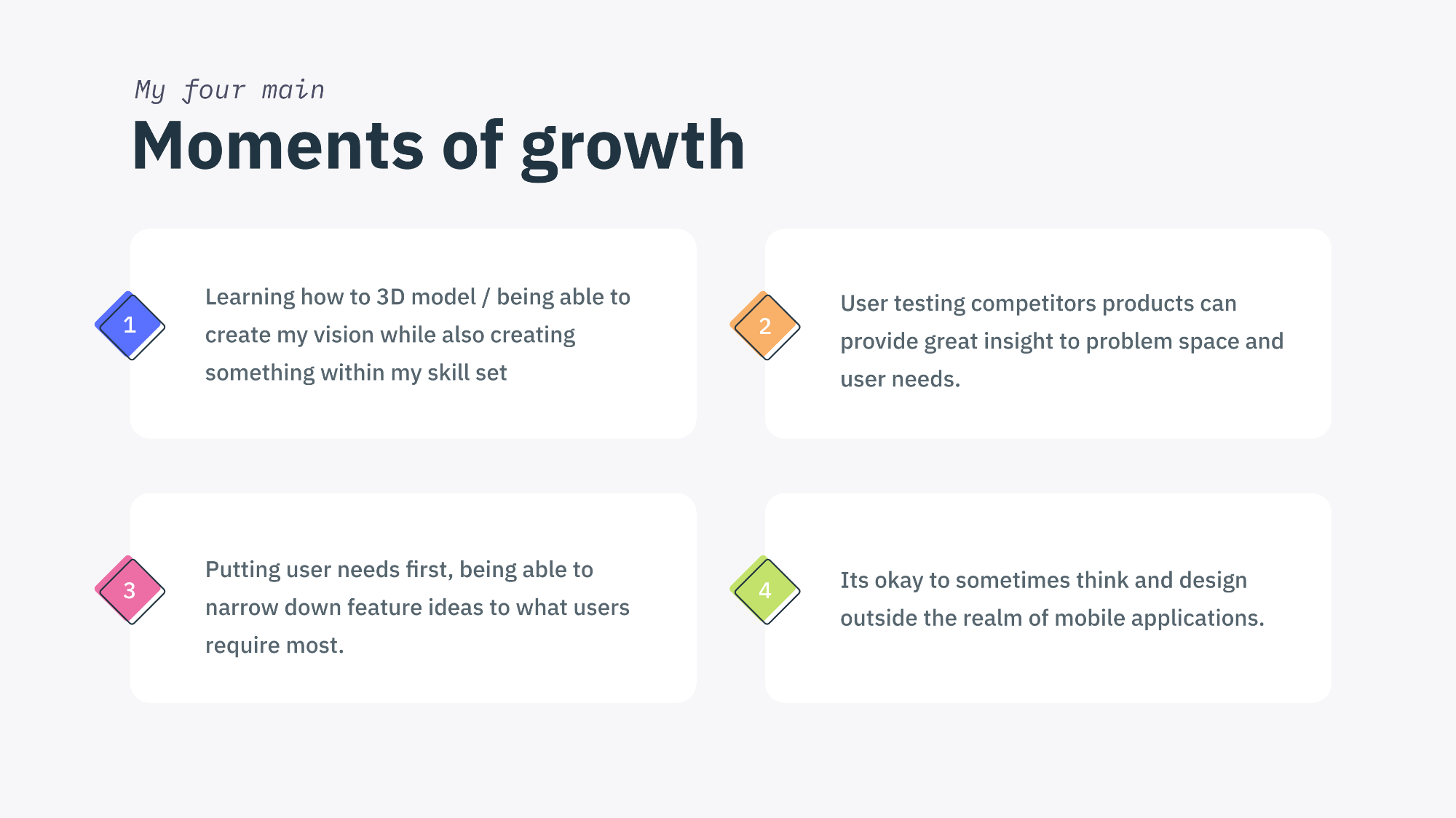
Moving forward with this project there are a number of next steps I would like to take. Firstly, I would like to do further user testing with how the product works in conjunction with the companion app. Based on user testing results, I would like to iterate on the design of the application and the actual product. From there I would like to repeat this process, while adding to the design with each iteration until reaching a point where actual development could take place.