During the pandemic, my colleagues, Mike Kelly, Eugene Pokrovsky, and I challenged ourselves with completing a remote hackathon style group challenge. We chose Online Marketplaces as our problem area and began brainstorming and researching potential problem spaces within the area.
A large group of Kijiji users aged 24 and under are reluctant to use the platform for buying and selling because they feel intimidated by the meetup experience.
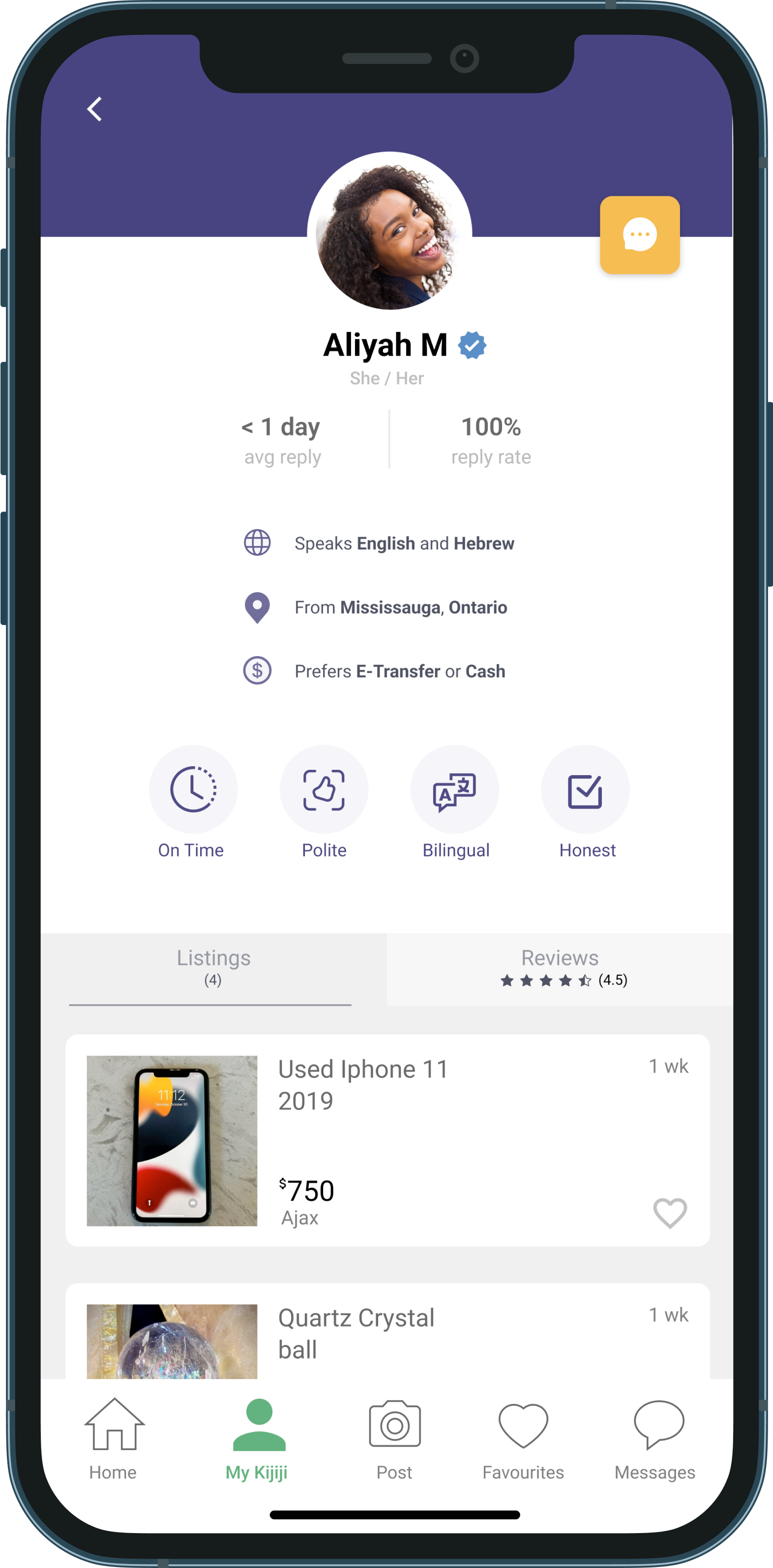
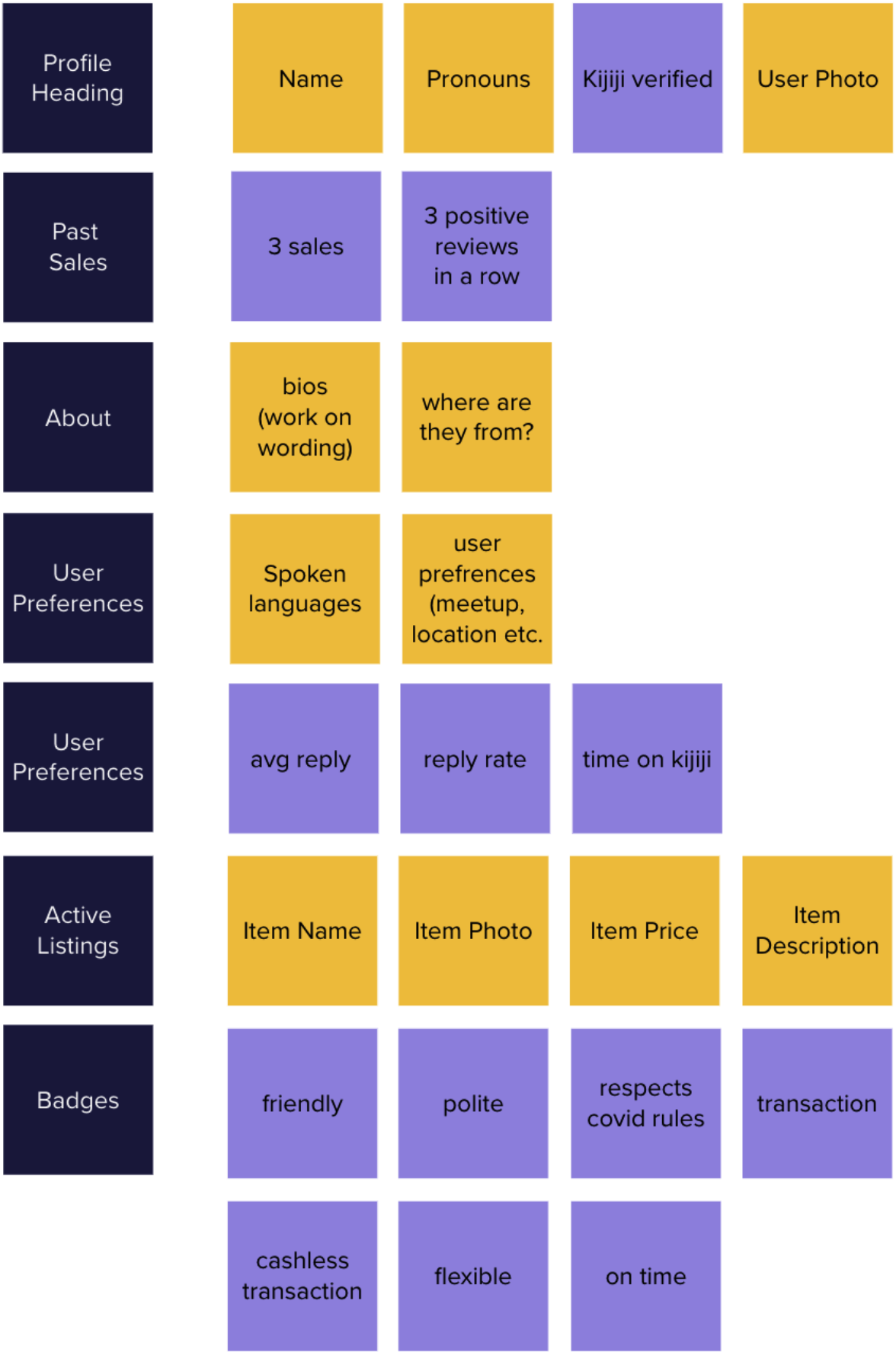
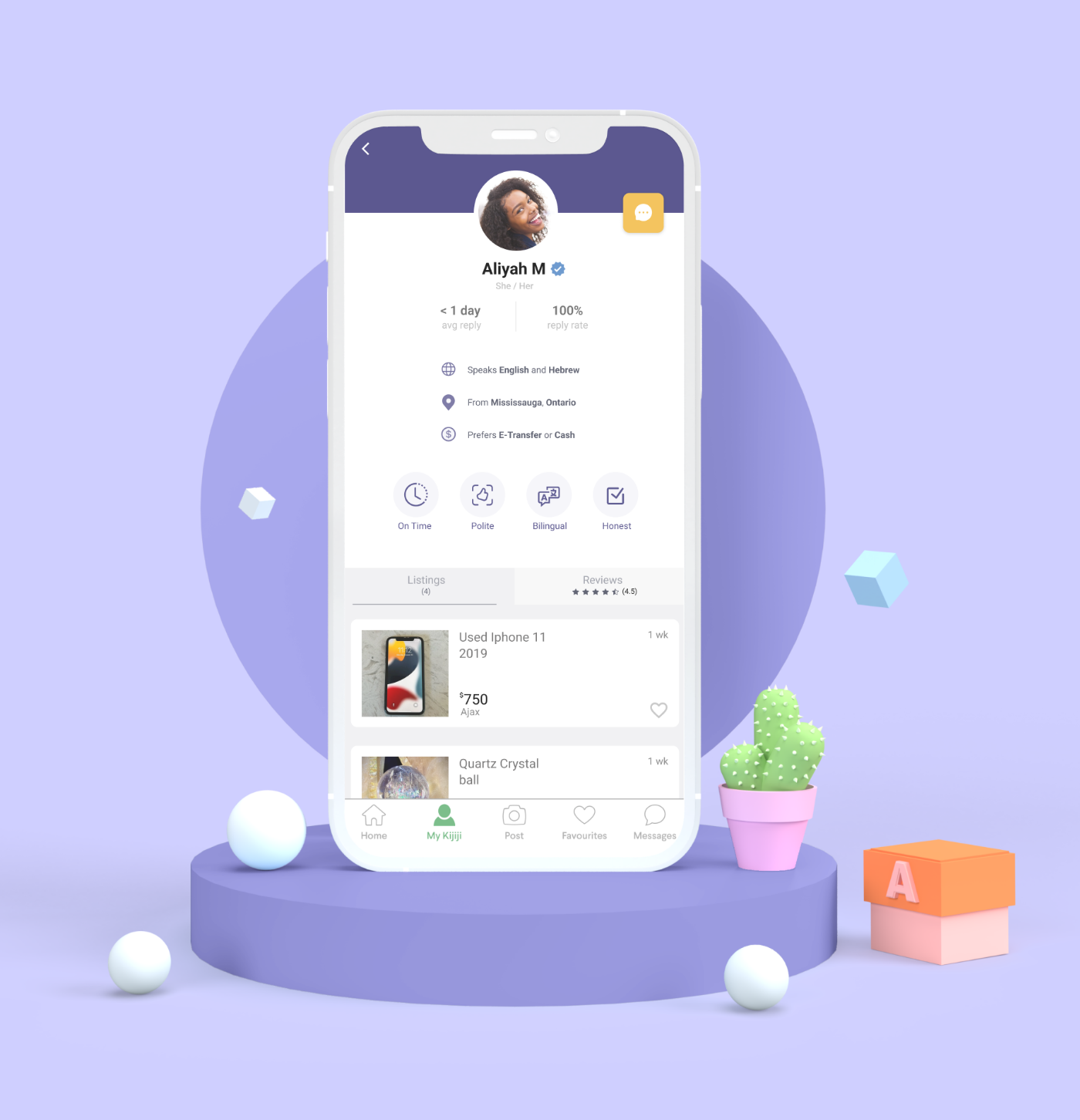
Learn more about the person you are meeting. Adding more in depth user profiles that highlight spoken languages, pronouns, transaction preferences and more to reduce meetup anxiety and save users chat time.

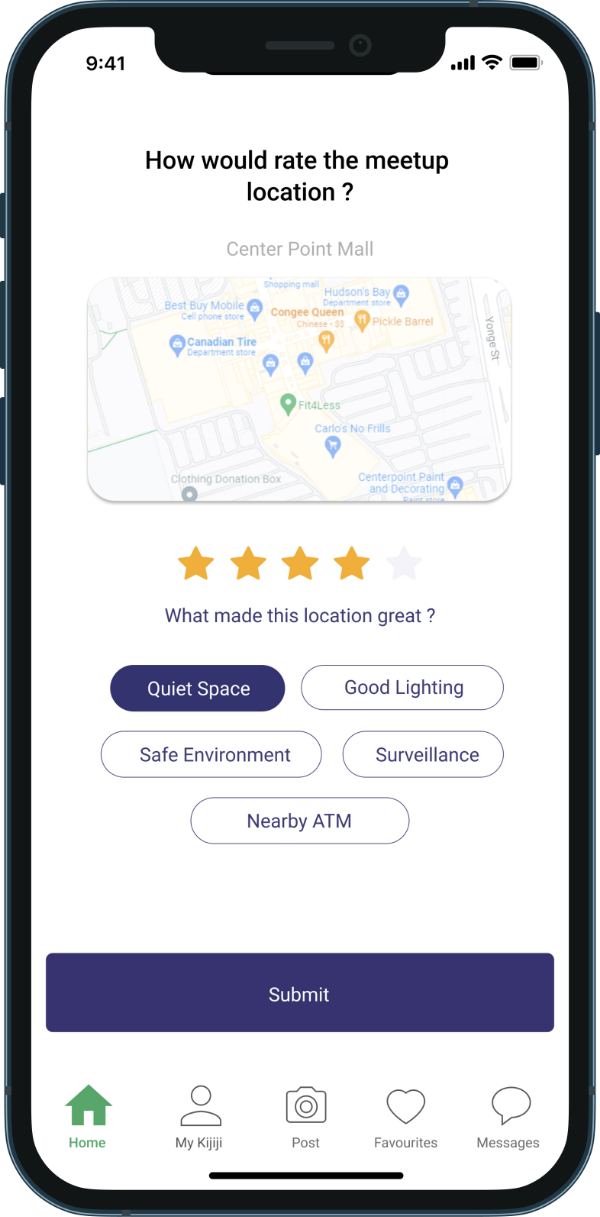
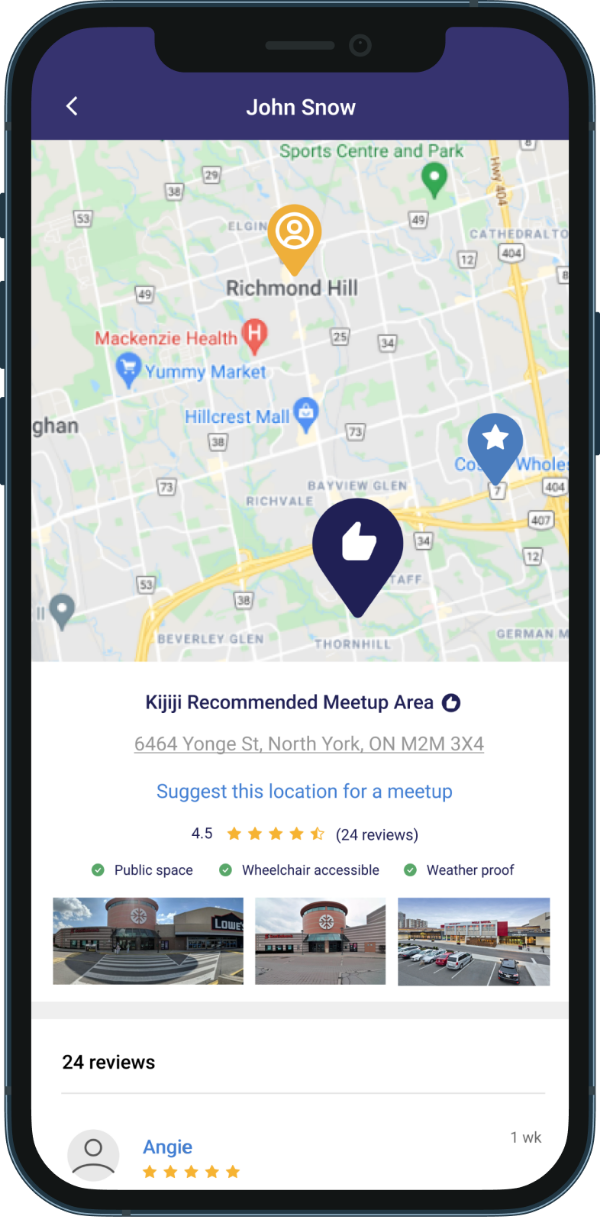
Users help to verify, rate, and recommend select meetup locations highlighting accessibility, safety, and nearby amenities.

Generated meetup recommendations based on specific user needs and location. Integrated with the chat feature, locations in between users are suggested.

Our team started our research by reading through online articles and forums to get a rough idea of what users thought about the second hand market experience. This type of research in combination with casual interviews had lead us to the assumption that women would be the demographic most concerned about online marketplace safety. We created an online survey to gain a better understanding of what users thought about online marketplaces.
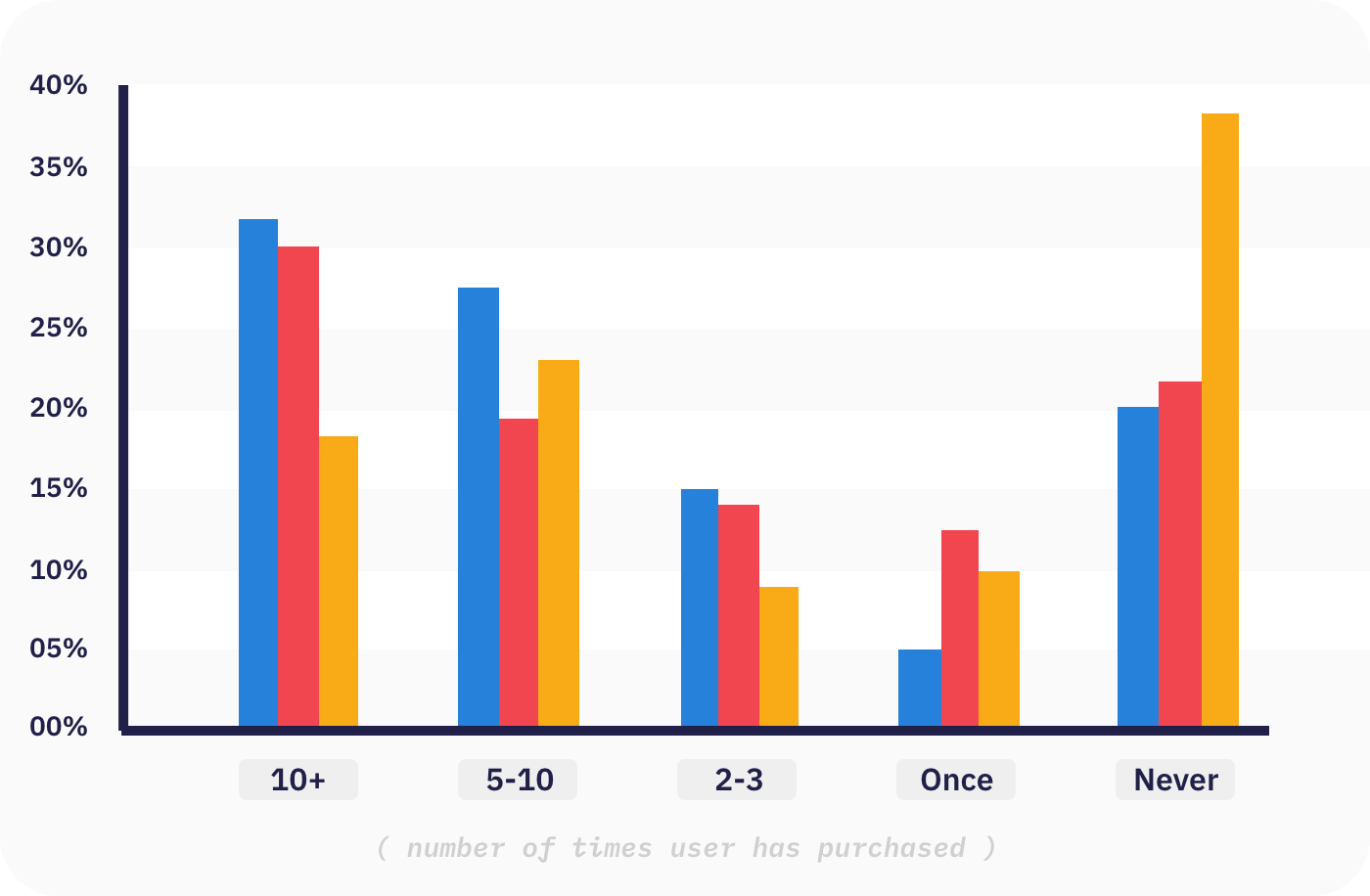
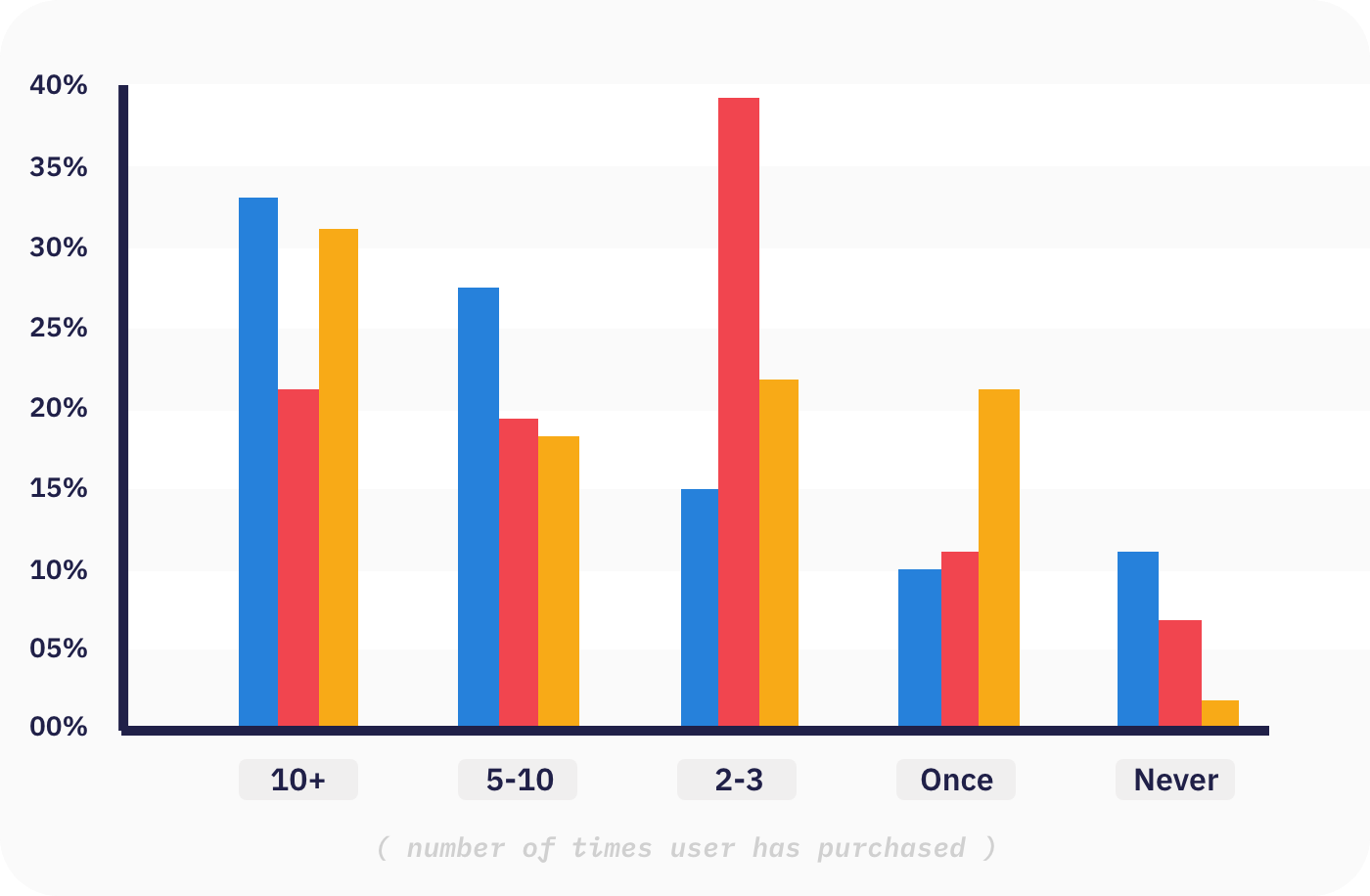
Our survey received over 100 responses and gave us valuable insight into who is most concerned about online marketplace safety, and how we could go about approaching their concerns.
The following data visualizations highlight the main insights and discoveries

What features does Facebook Marketplace use that could have given them the competitive edge over Kijiji ?


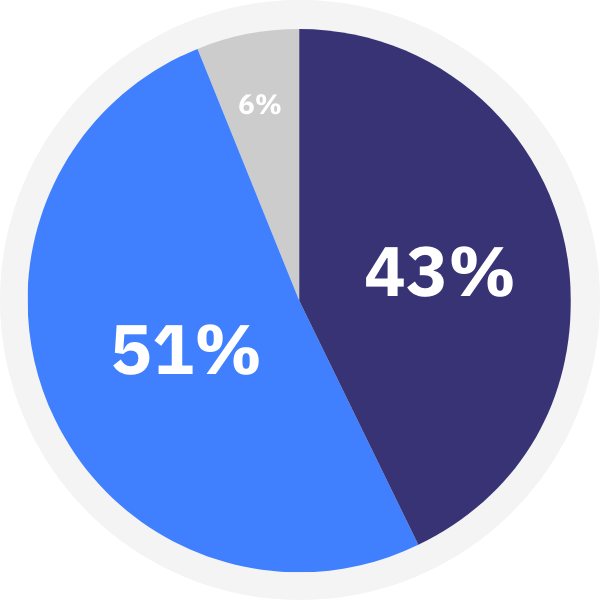
Surveyed said having more info about the other prior to meeting would make them feel more safe.

Said that online marketplaces could do more to make their users feel safe

With our research findings we determined that younger age groups (specifically GenZ) are most concerned about their safety when using second hand marketplaces. As a result, this age group is less likely to use secondhand markets.
We also discovered that more than half of Kijiji users felt that the service could do more to make users feel safe. With this new information, we began exploring why users felt this way, and what could be done to make users feel safer.
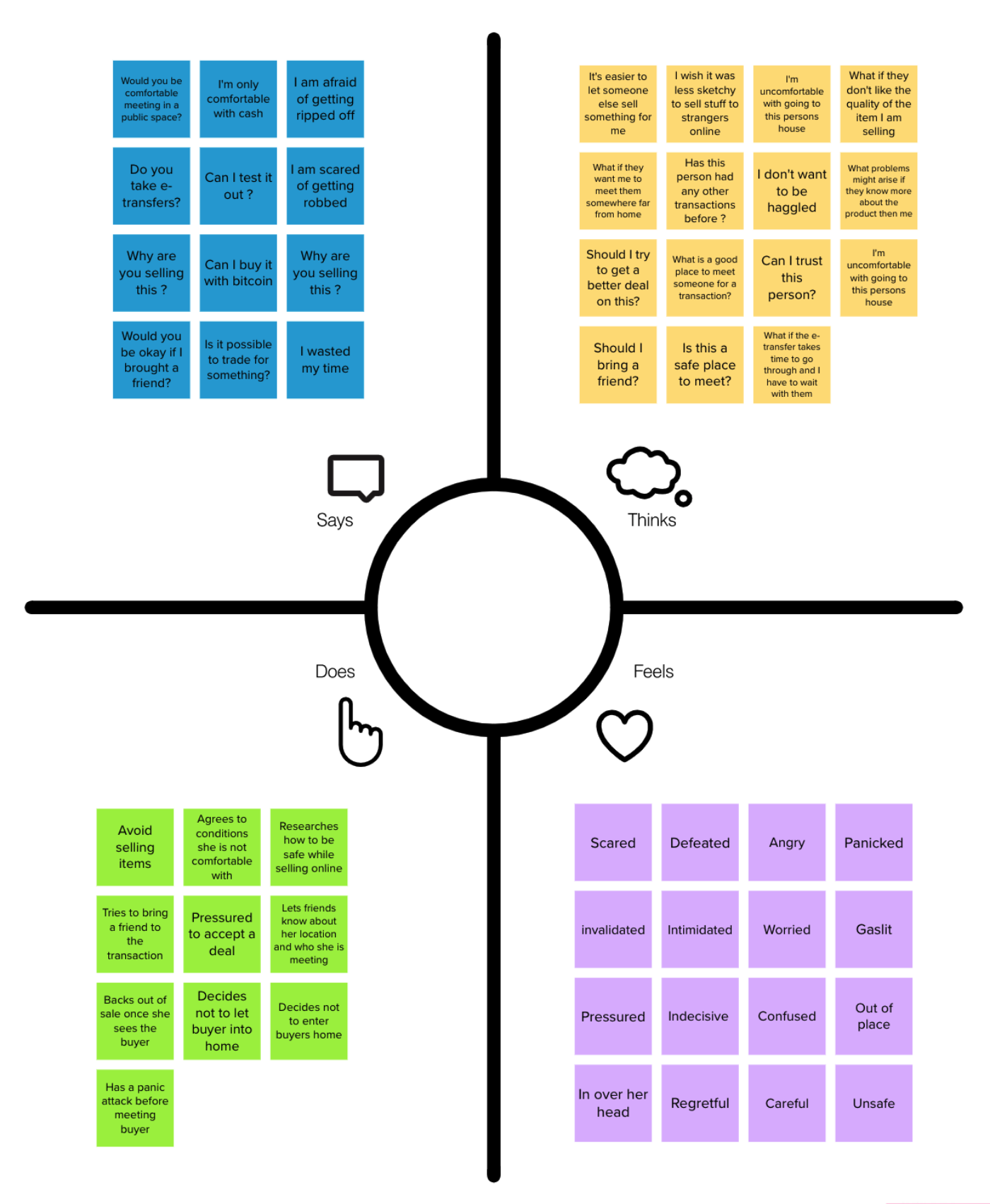
Using Mural, we created an empathy map to help us understand what users might be feeling when using an online marketplace. This exercise helped us to keep our focus on the user by putting ourself in their shoes.

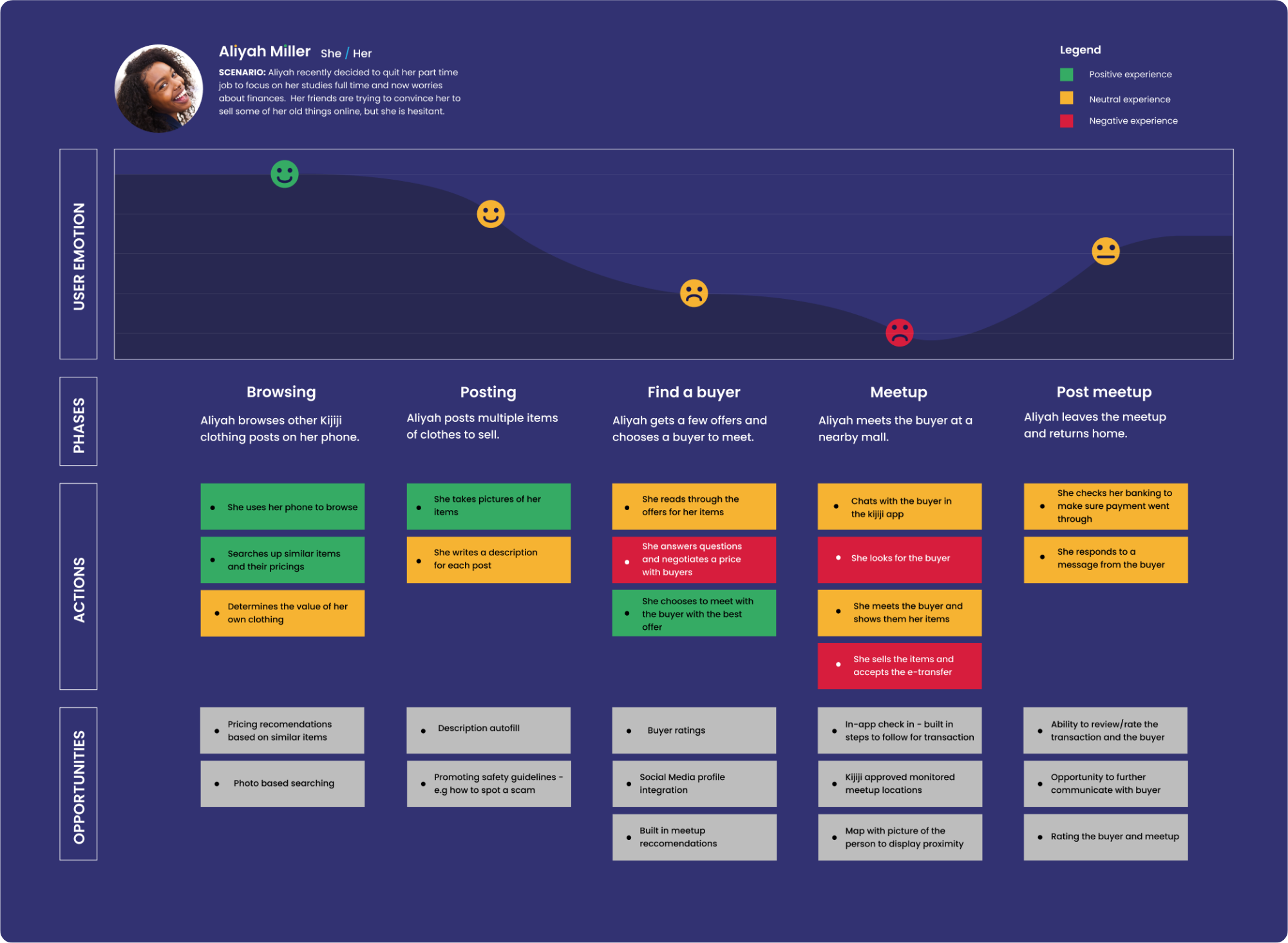
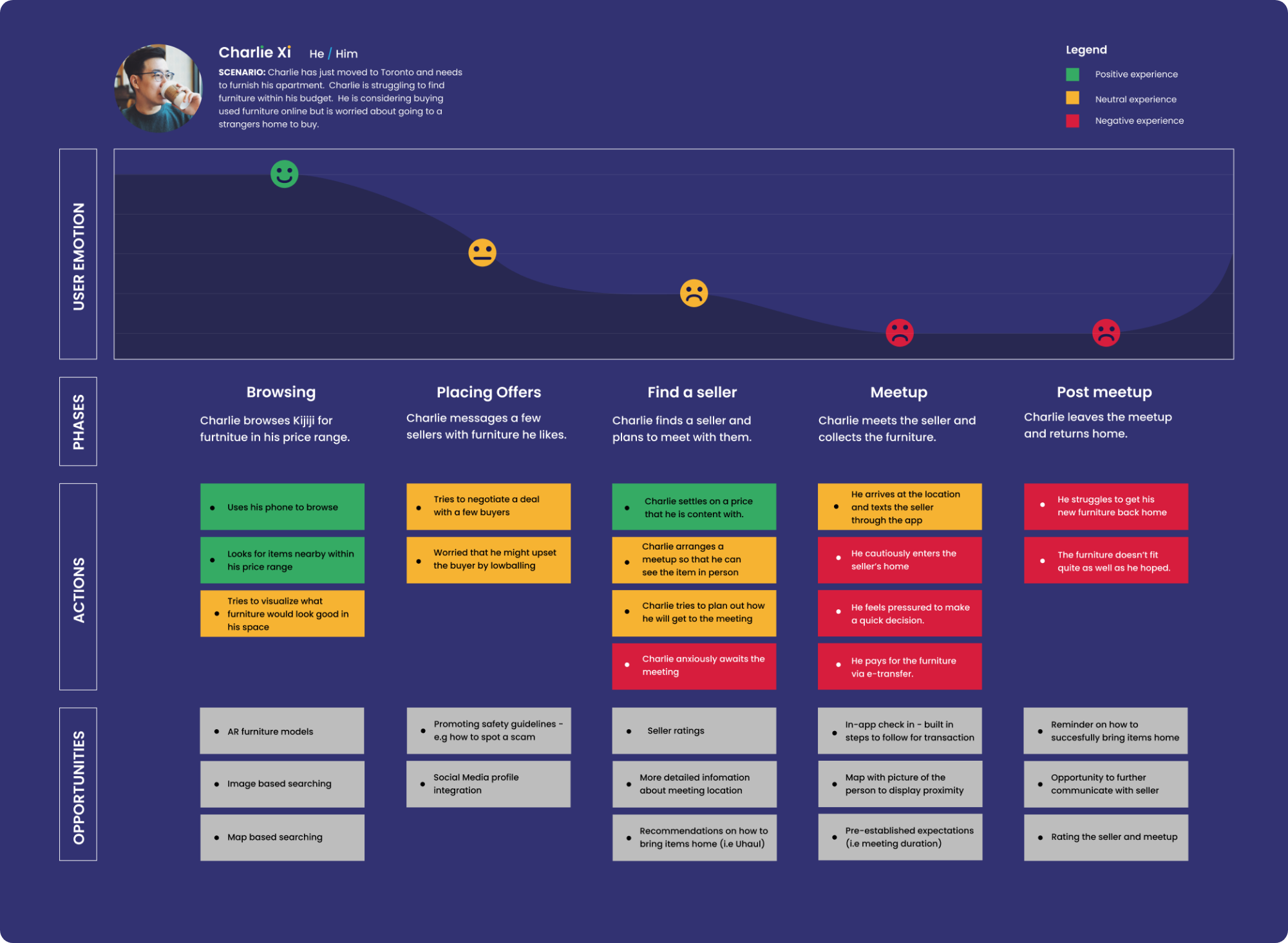
We created two personas that we felt accurately modelled the needs and pain points that real people were experiencing. Using our empathy map and these personas we were able to create companion user journey boards. These helped us to visualize that the biggest pain point our users faced came from preparing and attending the in person meetup.
Creating a list that focused on the emotions users might be having before a meetup revealed what concerned users most. Understanding these concerns allowed us to discover and design ways to alleviate these paint points.
How might we save users time and mental energy from the pre-meetup phase all the way to the transaction and review phase.
How might we reduce pre-meetup anxiety and give users the tools to feel confident, safe, and in control of there meetup experiences.
How might we ensure that our users are able to have safe transactions in an environment that is suitable for both the buyer and the seller.
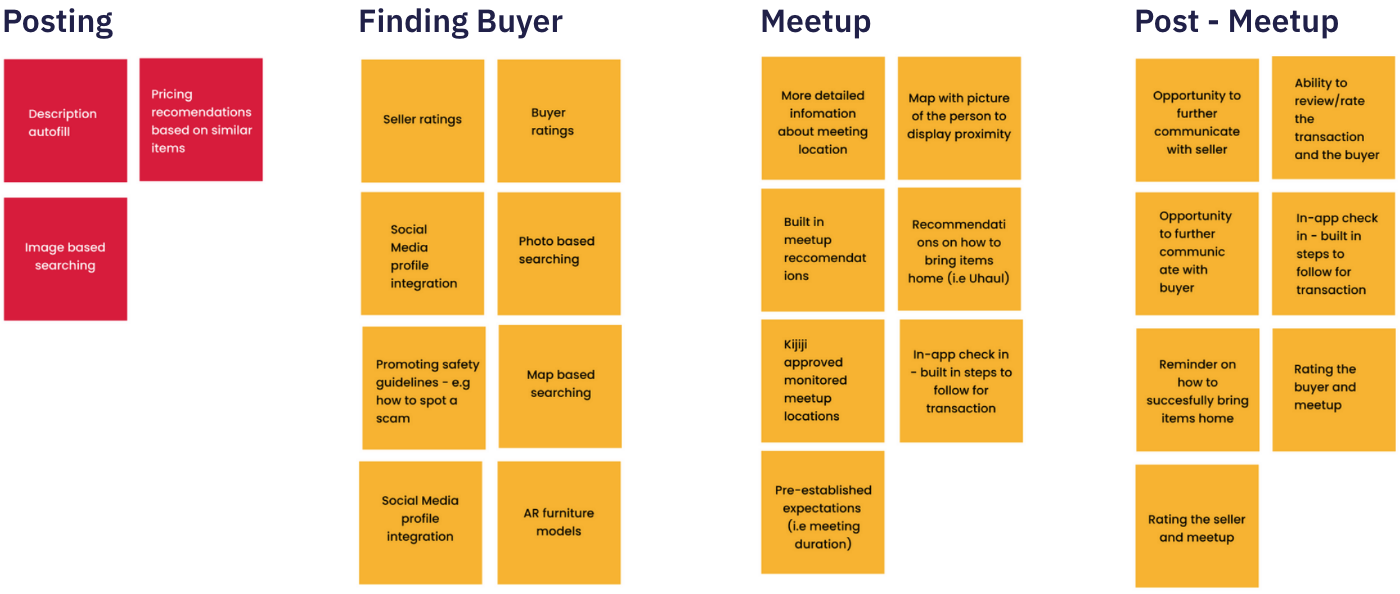
Breaking the user experience into steps based off our persona and journey Maps we brainstormed a list of feature ideas that could be changed or added throughout the process.
One of the main features new decided to change was the Kijiji profile. We found that users valued the ability to get to know who they were going to be meeting up with. The following is a rough hierarchy of information that would appear on the new profile page.
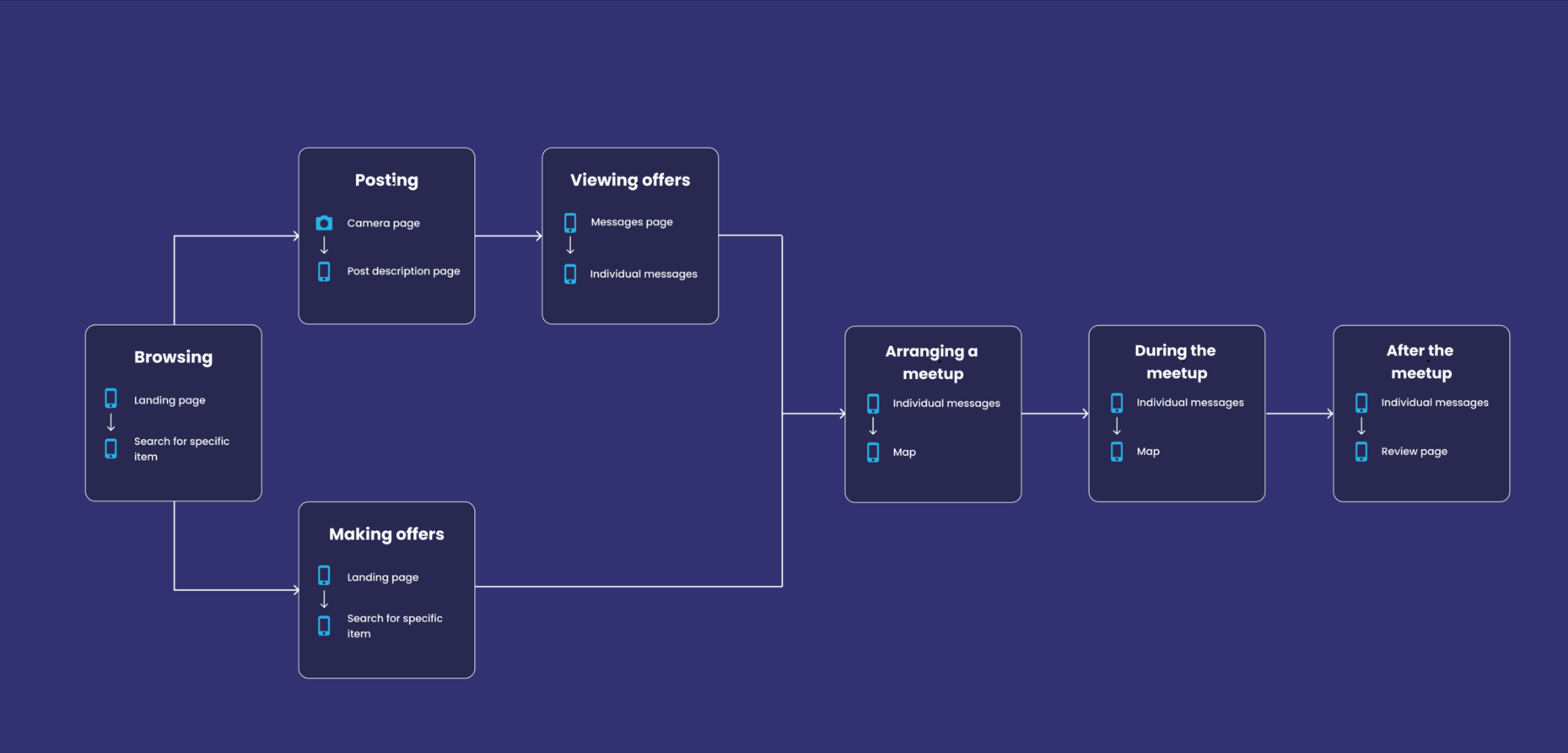
Using the list of interactions as a rough guide to how our system might operate, we then created a more defined system map that we could follow. Creating the system map helped to kickoff to our prototype phase and would guide us in finding what features and screens needed designing.
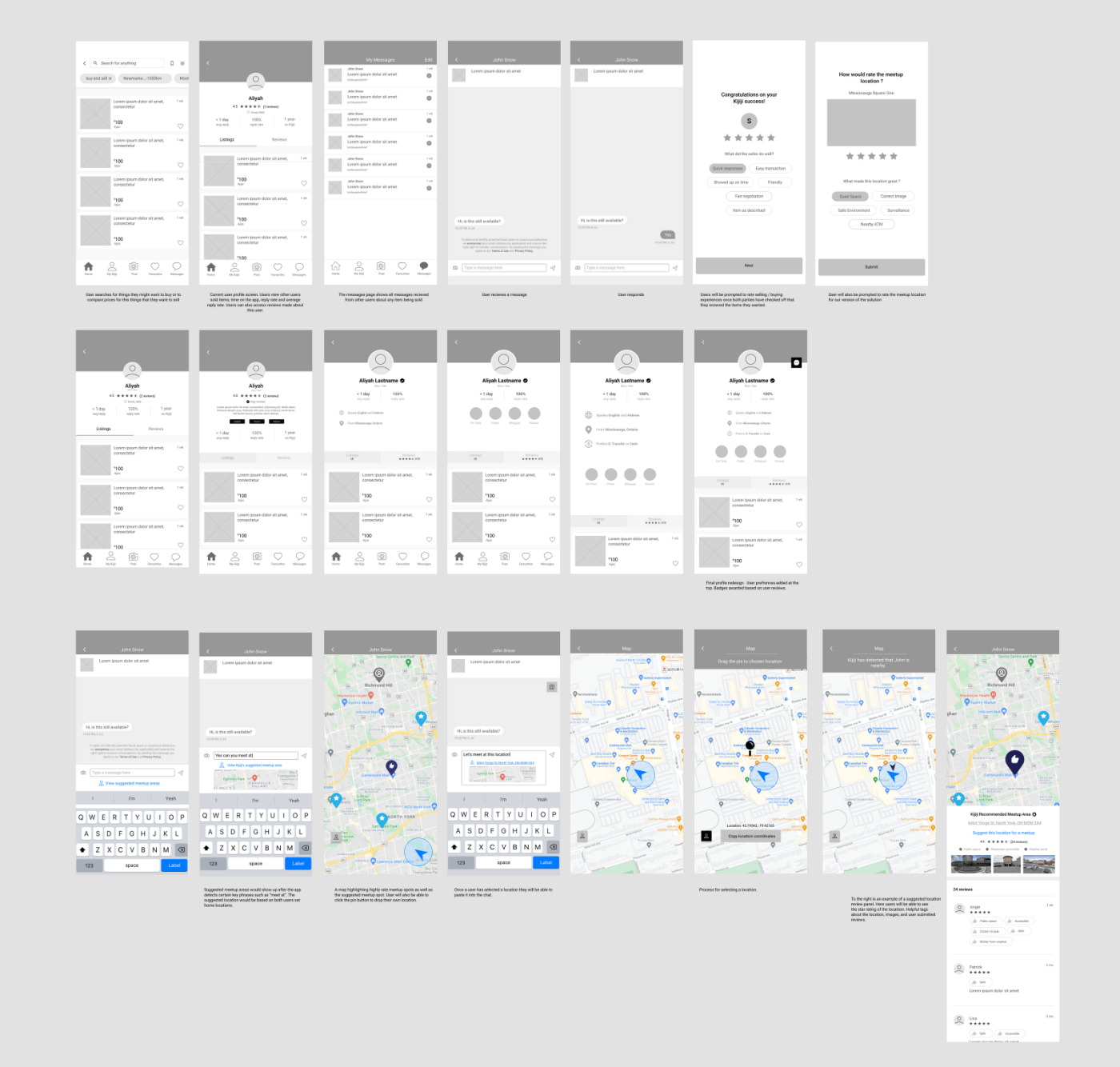
Our goal with our prototype was to implement our new features seamlessly into Kijiji’s existing design guidelines. Through our wireframes, we designed, tested and iterated 22 screens overtime.

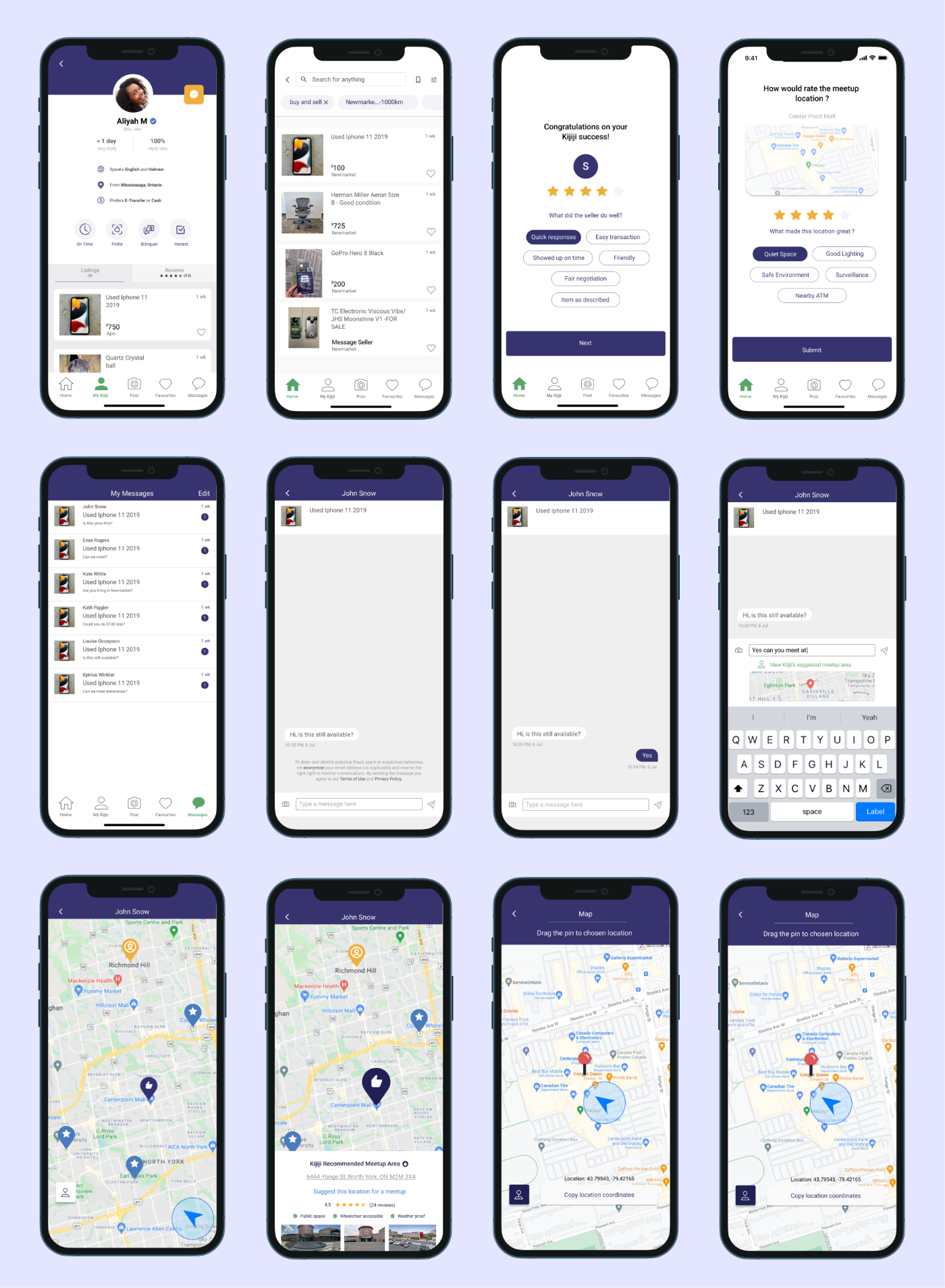
After testing and finalizing our wireframe prototype, we developed high fidelity mockups by applying Kijiji’s branding, ensuring that all new additions fit well into Kijiji’s existing brand guidelines.

Overall working on this project was a really fun exercise for me and my colleagues. Because the team was so small, each of us needed to take on multiple roles. It was interesting to see which parts of the project we all gravitated too and which roles we decided to take on. This helped me to further identify my own strengths and weaknesses, and get more comfortable with working together as a team.
The next steps for the project would be to user test our high fidelity mockups on our user base and gather feedback based on how the users interacted with the new features. From there we would iterate on the design, and potentially add new additions based on the feedback gathered.